Showing posts with label Digital Storytelling. Show all posts

Sunday, October 15, 2017

Test of Biteable Video Making Service

Update 2021 - This company has totally revised their product - much easier to use now. I have an updated review of the current version of Bitetable.  The text below remains for historical purposes.

Not really back in the game but I am testing out animation services for Explainer videos. This is a service called Bitable.com; there are free and paid options for easy animation style videos.


The Difference Between Zoom vs. Zoom.us Recorder on Biteable.

The free version will allow you limited access to templates and audio. You can embed video and share via the website. 

You can share via Facebook, Twitter and YouTube but I think you have to give the service permission to post to your account.


Monday, April 4, 2011

PBS Tutorials on Place Digital Storytelling

This is a neat resource that I just discovered that can help those of you that want to tell the story of a place instead of a person.

Originally created to support the Ken Burns documentary on the National Parks, this section of the PBS web site page has tips about how to create videos.


The tutorial are designed for educators that do not have experience working with video. They take it slow and steady to guide users on the process.

There are videos and pdf guides that you can download and review. I really liked the guide on Gathering the Media for Your Digital Story. It broke down the process to explain a very simple script, the visuals, music in preparation for making a digital story.

The added bonus is information about geo-tagging and how to use Google Earth to help tell stories. This is really a gem of a a tutorial resource.

Tuesday, March 29, 2011

Xtranormal Film Festival and Contest

Just passing this one down the line for folks who might be interested. Xtranormal is having their first video festival and contents in association with Microsoft's Bing.

There are prizes, cash money type prizes, and you get the opportunity to be rendered as an Xtranormal character. $5,000 grand prize and the chance for immortality? Go for it!

Here is the introduction video from Xtranormal:

<br/><a href="http://video.msn.com/?mkt=en-us&vid=f87715e1-3d9b-4a50-80a3-a308f19589aa&src=SLPl:embed:&fg=sharenoembed" target="_new"title="Bing presents the Xtranormal Film Festival Contest">Video: Bing presents the Xtranormal Film Festival Contest</a>

I took a quick look at the contest rules some of which are standard but it never hurts to look them over:

  • You have from March 24 to 11:59 pm on April 15, 2011 to submit your video.
  • You do have to sign up to be a member of the Xtranormal community. That is free.
  • For the contest they will spot you 300 points for you to acquire assets to create your video for the contest.
  • You have to use the online video maker.
  • Your video must address the topic of decision making.
  • You have to keep the video under two minutes
  • You have to keep it under 30MB
  • You can't cuss or be disgusting - civility please!
  • If you win you give up the rights to the video for now and forever more no matter the mode of transmission or future delivery devices.
As always it is the story, or in this case the power of the keyboard in the story. That is what makes Xtranormal videos work. Anybody can do it.

Thursday, March 24, 2011

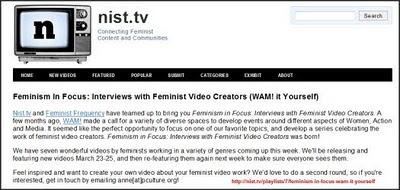
Video Feminists Content Producers Via Nist.tv

I am very encouraged that more women are picking up the camcorder and telling their thoughts, stories and opinions. The Nist.tv site has a section on their site on what contemporary feminists thinkers and speakers are saying via video.

NIST TV Feminists video page
It is extremely important for to document what actual women say as opposed to having our thoughts communicated by corporate and advertising filters. I'm really happy to pass this long because it is marker of progress.

Don't make assumptions of what you will see and hear; there are as many voices as people on the planet and no two women say the same things the same way.

Monday, February 28, 2011

Help Fund the Voces de Cambio Visual Storytelling Project

I know the power of photography can life a teenage person out of herself and introduce her to the world, both within and exterior. I was that teenager. Constructing your narrative can be very powerful but sometimes you need a little help.

The Voces de Cambio is an after school project for Guatemalan teenage girls. The project needs funds for camcorders and other stuff so that the young ladies can record documentaries about they life and the life of the neighborhood.

This is a video explaining the project:


From the web site:

Voces de Cambio was born out of the necessity to provide a safe space for Guatemalan girls to begin to imagine a new role for themselves in their homes, schools, and communities. Using writing and photography, Voces de Cambio encourages girls to construct a new “social narrative”, one in which they occupy an equal and authentic voice.


All you gotta go is swing on over to the Kickstart fund raising page and pony up $1 or more if you have it to spare. They need $7,500 and they only have 1/3 of the amount.

Time is ticking. If they don't raise the $7,500 they don't get anything.

Honestly, it really does make a difference.

Tuesday, February 15, 2011

AFRO Archives - Thinking About Creating A PSA

I think one of the things that web video can do is to help promote resources. I found out about the AFRO Archives. I was reading the comments and one of them bothered me.

One commenter thought the archives was a good idea but doubted that African Americans would be interested in this kind of information.

I disagree, I think folks would be very interested if you let them know that it exists or let other people liked educators know it exists so that the archive can be used as a teaching resource.


AFRO American Newspaper Archives
Yeah, so what does this have to do with creating a video? Glad you asked.

Yesterday I wrote about the process about creating a core message video. Well, why not a very short video PSA to help promote the AFRO Archives or by extension any non-profit that does good work but has zero promotion.

For the record, yes, I know Google and the AFRO American Newspaper Chain are in no way non-profit organizations. In this situation perhaps I'm acting as a (non)Robin Hood and sharing what I found in the forest of information.

Yeah, that's it.

Basic Brainstorm Questions:

Do I have time to do this? No, but I'm doing it anyway. But time is a factor so that means I have to keep it short and simple.

Who besides myself would be interested knowing about the resource? Librarians, teachers, historians, genealogists, writers, students, and info-junkies everywhere.

What About Copyright? That could be sticky. The newspaper chain does still exist. The newspaper archives are being presented in a public display but that doesn't mean I can necessarily snatch, grab and post.

I believe that I could use a very small portion of some of the banners and images under Fair Use but I have to check the web site to see if there is a statement on what is and isn't allowed.

I've got a bit more brainstorming to do but these are the kind of questions that need to be considered before you jump into planning and producing a video PSA.

Related Posts

Friday, February 11, 2011

Video Biography of Carolen Bailey Using Photos and Audio

What do you do when you have a person that you would like to create a biographical record but for what ever reason they do not want or cannot participate?

This is an example from the Minnesota Historical Society on the first woman police officer, Carolen Bailey.


Considerations

First of all, you be respectful of individual rights of privacy. If you subject is a family member or someone close to you and really does not want their photo, voice or likeness publicly presented then you should probably not proceed.

With public and historical figures you have a bit a leeway but again, the respect thing can help keep you out of trouble.

I guess you will have to decide if this is a personal, public, journalistic or historical creation. Each one of those types of oral histories have to be approached differently.

Thursday, February 10, 2011

Minnesota Historical Society Videos On Oral History

The Minnesota Historical Society (MHS) wants to make sure that there is full awareness of the history and cultural significance of the state.


MHS has a series of videos on YouTube that explain what oral history is, how to do it and provide tips and suggestions on the process.

Other Posts of Interest

Tuesday, February 8, 2011

Farm Apprentice Oral History Project Video

There are options when you create an oral history. It does not have to be a talking head, sit down experience. You can show the person record audio narration while showing photos of them doing what they do to enhance the experience.

This is a video of Ryan O'Hern who is explaining why he is participating at the Stone Barn Apprentice Program.


This is a project of Erin Boyle's Farmer Voices, who mission is to share the work of farmers with the general public.

Monday, February 7, 2011

Tahrir Square - In Words and Pictures Using a Rebel T2i

One of the things I notice about the events in Egypt was the amount of mobile phone video, point and share camcorders and all sorts of recording devices in the crowd. There is a tremendous amount of documentation.

This is a video by Oliver Williams recorded on February 1, 2011 using a Canon EOS Rebel T2i EF-S still camera with HD video.


Oliver gives the full story about how he came to record the video at DSLR Newshooter which is a resource I've got to dive into more deeply.

Friday, February 4, 2011

The Spy - Remixing The Old to Make the New

One of the creative ways folks are using web video is to take a public domain video and re-cut or remix it with contemporary sound and narration.


Remi from Amins, France belongs to the Vimeo Same Video Different Use Group.

These are the folks that will dive into the Prelinger Archives and transform some of the governmental and industrial videos into new found gold.

Remi found a promotional U.S. Post Office video promoting the use of Zip Codes and transformed it into a love story. It is short but it packs a punch.

Thursday, January 27, 2011

Hiroaki and his son Taji Interview Video for Life In A Day

I believe that people are basically good. And sometimes you get to meet people that you don't expect to see before your eyes.

I wish Mr. Hiroaki's circumstances were different but it is a honor to watch this interview video.


How do you take what life hands you and transmute it to a higher purpose? A reason beyond the surface? There will be other challenges for Hiroaki and Taji but I hope that the creativity and inspiration will carry them down the road in peace.

The premier is starting in a bit at http://www.youtube.com/lifeinaday. If you miss it there are so many wonderful videos to check out from the project; just dive in and soak it up.

The film will be release to the general public later but in the meantime, Vlog On!

Wednesday, January 19, 2011

New Season of Next to Heaven by Rob Parrish

It takes just a jump to the right as you get Next to Heaven. Part of the fun is that you never really know where each video will take you.


Rob is a filmmaker and long time videoblogger He is revving up for a new season so if you want the antidote from reality tv this is your chance to get bent in a good way.

Sunday, January 16, 2011

Vimeo's PhotoMotion Channel

I pressed the Enter key by accident so now I've got to write this post that I meant for Monday morning. In this case it is a pleasure because Photomotion is so easy to do. You can use it as part of your video or the whole thing.

You can do this with your cell phone, still camera or video camera. How you do it is up to you. This is a fast tutorial by Bill Newsinger.


For more information on how to do this visit the Get Funky with Photomotion page at Vimeo.


There is also a Vimeo channel devoted to Photomotion. You can view videos like the one from Casey Warren on the creative process. Happy snapping and storytelling.

Thursday, December 30, 2010

Jamie Stuart - Man In A Blizzard or Idiot With A Tripod

Yes, I keep telling folks this is what is possible. You do have to have talent. Equipment can help but if you don't take the opportunity when it comes knocking on the door (or falling from the sky) what good is it?

This is Jamie Stuart who knocked out a great video from the ThunderSnow that hit NYC in December 2010.


Somehow I landed on Roger Ebert's page at the Chicago Sun Times. Nothing pleases an ex-snow bunny more than to watch a blizzard from an extreme distance. This video brought all the wet soppyness without the frostbite.

The Particulars:
  • Canon D7 dSLR with macro filters on the lens during the day
  • Converted some of the video from H.264 into ProRes 422 (No I never heard of ProRes 422 before either)
  • Edited in Final Cut Pro
  • Exported into Quicktime
More on how he did it:
Early on, I was able to vary things a little more -- I used macro diopters for the close-ups during the day shots, my portable slider for the dolly shots and also, a 75-300 zoom for the rooftop shots. I was more limited at night because of the weather conditions, so I stuck with my 24mm, 50mm and 85mm -- all of which are manual Nikon lenses. Which meant that in the middle of that maelstrom I was changing lenses, wiping off the lenses and manually focusing/adjusting each shot.

All I can say is that I shot some rain footage but it isn't anywhere as good as his snow. But he has given me ideas. And some quivers of thought. For more information on Jamie Stuart visit his site.

Thursday, December 23, 2010

Dueling Cameras by lonelysandwich

Winding down for the festivities but there is much goodness in the land.


From the guys at lonelysandwich on Vimeo comes this lesson on composition, serendipity and location, location and location.

Wednesday, October 27, 2010

Bill Gentile - Backpack Journalist and Instructor

Those that know, really know often share what they have worked so hard to learn. I learned about Bill Gentile via researching another story and discovered that this person has a talent not only for news gathering but teaching other people how to do it.


Bill Gentile defines Backpack Journalism in one of his post as:

Backpack journalism is the craft of one properly trained professional using a hand-held digital video camera to tell stories in a more immediate, more intimate fashion than is achievable using a team that includes camera person, sound person, correspondent and producer. Backpack journalists do it all and, most importantly, we make the pictures, which are the driving force of visual communication.
On his blog there is information on his approach to video documentation, his workshops in the Washington, DC area and tips on how to do it better.

Things to check out:
  • Essential Quick Tips
  • What It Takes
  • A leap over to the American University School of Communication page I found a video by Maria R.M. Howell that explains the process and philosophy about the merger of traditional documentary photojournalism with video storytelling.
  • Bill Gentile's Backpack Journalist videos on Vimeo

Tuesday, October 26, 2010

Discovering the Nokia N8 Camera School Blog

Hat tip to Rupert Howe's tweet about mobile phone's digital storytelling. The Nokia N8 Camera School blog has usual information about recording video using mobile phones.


Nokia would very much like you to use Nokia phones but much of the information transcends devices. In this video, Haje Jan Kamps does a really good job of explaining how to think about making your recordings more interesting.

This is a variation of a technique known as in-camera editing. It is thinking about the shots that could give a visual accent to your story.

Anyway, the blog has other items that are quite tasty:

It is a corporate blog and the purpose is to get the most out of the Nokia mobile phone technology. That said, the ideas presented are universal.

Friday, October 22, 2010

Matt Rodgers Kinetic Typography Video

You have words. You have sound. Why not animate the words to the sound of someone speaking?


That is exactly what Matt Rodgers did with a bit of narration from actor and author Stephen Fry.

I have see other folks do similar things with text, most recently CeLo Green's original text video of that song that starts with F and ends in U. I like the use of text animation. Not to thrilled with the words of CeLo's song. (NSFW)

There are so many ways to do this and you don't have to go high tech:

  • Paper animation
  • Animation feature in PowerPoint then converted to video
  • Flash Animation with or without Adobe Flash. There are a number of similar animation programs like Swish Max or Swish Lite which is free and much easier to use
  • Draw/Paint programs with video export or screen capture.
I'm hoping that the text poets and word sculptures will catch on to this and amp it up even more.

Monday, October 18, 2010

Sam O'Hare's Stop Frame Video of Coachella 2010

Each frame tells a story but what if you shot 50,000 photos and strung them together for a video. From way up high in a cherry picker?


Sam O'Hare's and a bunch of other people did just that for the Coachella 2010 Music Festival. If you want to read how he did it and check out the interview at Aero Films.