How do you express a universal concept? The Noun Project is trying to create pictograms that can express a concept without the use of written or spoken language.
So, back to the question and inspiration for my project; explaining how to take medicine when the other person can't read or doesn't understand your language?
This is a video about the project:
Now, here is where it gets interesting. Researching my project I found out that many countries use pictograms in addition to written language to communicate medical concepts. If you are thinking of a rural African village, think again.
The pictorgrams concept is used in Ireland, India and in the Americas. Hopefully it will pick up steam in the U.S. but it is a process. So, how do you get your hands on them?
There are a number of ways. If you have Adobe Voice you are good to go, this is the service that provides the art work.
If you are on Android or another operating system then you can register at the site for a limited free account. On the free account you are limited to Public Domain images. You will have to hunt them down; they are not easy to find.
I was only able to download three a day but I wasn't trying to load the whole image bank. There are low lifers that would download and sell the images so I completely understand the restrictions.
If you need more you can purchase individual images or access the creative common images that require attribution. The pricing plan that starts at $10 a month. If you only are need an pictogram occasionally this could be a keeper.
Images seem to scale well in my video editing programs. You have to see if your software or app is accommodating to it.
No, I haven't punked out again. I'm actually on a deadline that I'm very excited about and it fits in with storytelling. Some of you know that I have an interest in making explained videos.
Well, I got the opportunity to take a health literacy class. For my final, I'm making a video on how to read a prescription label.
I've been knocking out the script and starting to gathering assets. I will be using some of the pictograms that I have acquired to keep it as simple as possible.
And yeah, I have a backup plan if I can't extract video from the software. You must have a back-up plan if you promise to deliver something to somebody else.
What else?
Even if I can extract the video from Adobe Voice I'll still be tweaking it up with other software; I'll need to add captions to the video. I'll want to add a resource page and a disclaimer notice.
So I may need to use a video editing software. I just upgraded to Sony Movie Studio Premium and got a bunch of other software like Boris and Hitfilm FX Home. I lack for nothing but time and sleep.
Actually I want to try three things; making the video with Adobe Voice, using Powerpoint as an animation tool and maybe making an explainer animated gif. I have no I'd how to explainer animated gifs but I do know that I have to turn in my project by next week.
Mind is going crazy with possibilities. Will keep you posted.
Com-Phone isn't designed for people like me but I'm taking a shine to it. It is an Android app for storytelling that is designed for older smartphones and devices. It is simple; you can take a photo; add audio and text and then transmit the story to YouTube or via e-mail.
Now I really need to stress that this app was designed for folks that do not have computers, high end tablets and other types of gizmos. I installed it on my old Samsung MP3 media player that has Android 2.23 on it.
I think there is a place for people that want to compose creative projects but need to keep it really simple.
Twitchy but Ok
In Photo mode I was a little confused that the photos were reversed. They recorded normally on the device but when you take the photo the image was flipped.
I recorded audio using the app, it was ok but occasionally heard scratching. It might have been the quality of the mic or this might be more I was moving around. I'll need to do more testing.
You can export video out as a .mov file. I did a test viewing using QuickTime Pro. It seems that the display size is 640x640 and the audio is recorded at Mono at 8kHz; it does sound like old school phone. Well, that explains the scratching sounds.
Viewing Issue
I tried to view the video on my device and it wasn't recognized. It doesn't seem to be a variant of mp4 but straight up .mov. I saved it as an HTML file and tried to open with a web page. The plain vanilla browser would not let me do that so I need to install Opera on my player.
You certainly can export the video and work on it in your video editor of choice.
Before some of you get you panties in a bunch this software can be of advantage to folks that have limited devices and want to tell a story. It is also of value to those artists or poets that want to compose a work in sequential order without editing.
This gizmo has possibilities. More testing is required.
There are times when it is very compelling to stand in one spot and record what you see. There are other times when you have to change it up a bit. What can I say, people like variety.
In the spirit of the holiday known as All Hollows' Eve aka Halloween, and the necessity to re-new, re-use and recycle, I bring you a visual reminder of some of the types of shots you can make with a mobile device or any camera.
A long shot to lead the person into the video; to give a hint or sense of what is to come.
An establishing shot to help your viewers know where they are in the video. You can be off to the side or a bit above or below; fee free to change up on the angles.
A medium shot to get in just a bit closer to your intended. Adds a bit
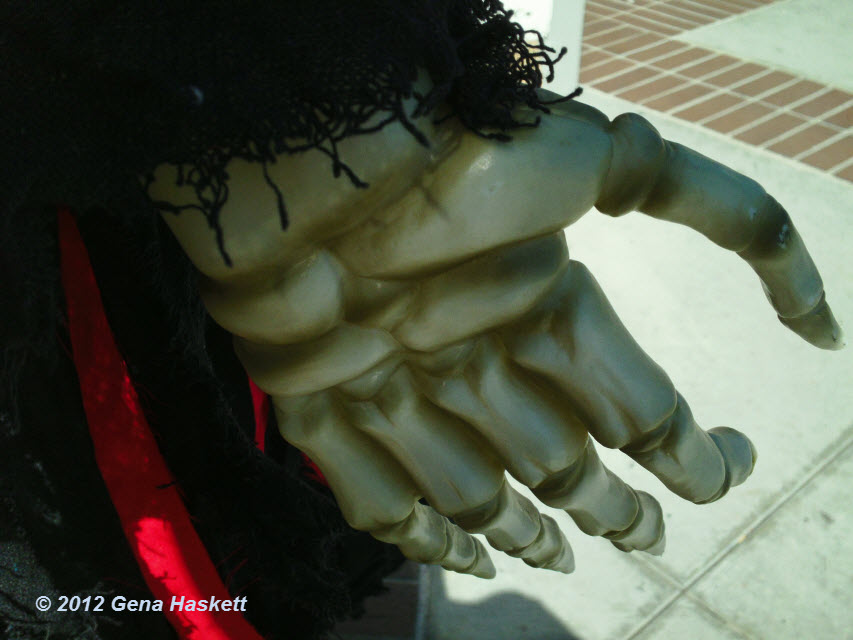
of focus to what is going on and that hand coming out of the lower left
tells a story of its own.
A close up is intimate, forces a connection. Use cautiously with the un-dead because there may be things you don't want to see. Again, shifting angles might help but in this ghoul's case; not so much.
The pumpkin? Ew, sinister.
The extreme close up puts your viewers nose right in it; make sure you have a very good reason for doing so.
The cutaway is a handy dandy way to use as a transition point. You can edit a cutaway into your video when you need to narrate a passagea and you need to get from one shot to another.
You want to get as many of those as you can that is appropriate for your video.
And if you mix and match well you will also have the making of the 5-Shot Method for getting the story:
A close-up shot of the hands
A close-up shot of the face
A wide shot
An over the shoulder shot
A unusual or alternative view of the subject.
You get three out of five of these rascals and you are doing better than 80% of most videos. Be a 100% trouper and you will have story.
There are smartphones, iOS devices, tablets. I don't know about the video recording via smartwatches but the ability to record video on mobile devices is remarkably easy to do and to muck up.
There are a lot of options; the trick is to find what works for you
and to be able to purchase locally or on-line. You might have an Apple
store near you but they may not have the exact third party product that
you need.
Same with Android folk; a tablet purchased at an office
supply store does not mean they will have a smartphone or
tablet accessories selection. This is my long winded way of saying you might need an online vendor. Stay safe; stick to the actual vendor or known online retailers.
Stability Accessories
Your greatest challenge and responsibility is to keep your device stable during recording. It isn't easy; the devices aren't necessary designed for ease of horizontal hand holding. Even when the content is compelling viewers shouldn't have to struggle to pay attention to what you have to say.
Tables owners; we share a special pain. Because as tough as it is to find a good smartphone stabilization product to record video it is a bit harder for the tablet crowd. But not impossible.
Square Jellyfish Tablet Tripod Mount might be what you are looking for; it is adaptable to tablets; doesn't block the camera lens and you can even rotate from landscape to portrait. I'm not sure that the tripod comes with the mount so double
check before purchase.
Please do not record unintentional vertical videos; especially on smartphones.
Joby makes an interesting line of products; for smartphone users you might be interested in the Joby GripTight Mount. You can use it as a stand alone device or attach it to other tripods.
Another option is Studioneat's Glif - this can also be used to attach to a tripod to help you keep it steady.
I hear some of you saying, "I don't want to carry a tripod." How about a monopod? The iStabilizer Monopod can be used to take Selfies or turn it the other way and record the rest of the world.
These are not so much recommendations as idea generators. There is a device that will help you take great video. You just have to find that affordable option that works for you.
No, I'm not backsliding - Pitcherific is an interesting web app that could help folks do a lot of things, give a proper elevator pitch, make a short presentation, or maybe help you to crystallize an idea for a video or podcast.
Let me be clear that my understanding of the intended purpose of the web app is to help people structure a verbal presentation. That is kinda nifty and the price is right (Free, at the moment).
But it is also the structure of basic storytelling. And for those of you doing really short videos this could be a keeper.
I don't know how long this web app will last but give it a try. Especially if you are giving a presentation on a dry subject.
You have thought about your idea. You've done the research and the dream catching. You know why you want to do this and your audience. Time to put it in a fixed form. Notice I didn't say write because it isn't the only way.
You can speak it out in an audio recording. You can draw freehand or in an storyboard format
For many of us we write it out. You can just make a simple text storyboard concept.
You can stroll through the collection at Printable Paper to see if one strikes your fancy.
If you have one of the comic book creation software you could even conjure a template out of that visual format. Find whatever works for you and make it so.
A group of teen-age girls cuts denim pants int shorts and then a designer sees it and sells Daisy Dukes. Akira Kurosawa created the movie The Seven Samurai and Hollywood re-interprets it as The Magnificent Seven.
The process of making a knock-off is called reverse engineering.
The New York Times has an Ops Docs channel on YouTube where independent filmmakers can create work for the paper. This is the promotional video for the series.
If you are up to it you should break it down into parts
How long is the title?
What is the layout or sequence of shots?
How do they use text, audio and images?
Do they successfully get the message out about what they do?
Do they employ the five shot shooting technique?
Who is their audience?
What is the call to action (if any)?
If you don't like this video then find one you do like or would like to emulate. Break it down on paper or your recording medium of choice. It is really helpful to see what works.
Remember, inspiration good. Flat out stealing, bad.
The universe will support you when you state and act on your intentions. Actor/Producer Kevin Spacey gave a keynote speech at the Content Marketing World 2014. Yep, he is talking about storytelling and trying to convince the crowd it is first about the story.
KPT Marketing has 27 minutes of the keynote, there are jokes, impressions and truths about storytelling. There are some gems to be gathered.
In the advertising world there is the brief. Long before they sell Skittles or a GoPro camera advertising firms create the advertising brief. It is a binder of what the goal of the campaign is; the message they want to communicate; who is the audience for the product and looking hard at the need or want the product potentially can fill in a user.
This is why advertisers are going loco-crazy about data collection. What do 25-year old women with disposable income and a love of pizza want in a shoe collection?
Yes, it gets that specific. What has this got to do with you?
If you can calm yourself and listen to the inner creative muse you can use some of the same concepts of an advertising brief to get the idea of your video out of your head:
What your video is about?
Why are you doing a video?
Who is your potential audience? (Hint: it is not everybody. You'll need to think about who would want and appreciate seeing the video.)
What is in it for them? What goodies, needs or wants are going to be in your video.
How long will the video be; unless you are really good you are thinking about two to four minutes tops for web video?
Where will your audience see your video? Mobile? Desktop, TV hooked up to Roku?
Bandwidth considerations; 4K video is coming but many people are on data plan lock down? You might have to balance access versus quality, or you might choose not to compromise but this kicks back to who is your audience?
What you you have to work with? Camera, audio, equipment, no equipment, software, DIY gear?
Time? How much do you have and how little. In your allotted 24 hours a day where does creating a video fit in?
So these are your starter questions. You'll have others that I don't know about but begin the process of writing down the bones.
So, how do you get the story out of your head and on to the video? The same way you build a building or physical structure;
you have a idea
you map it out
tweak the idea a bit more
find out what you need and go get it
start from the bottom and work your way up.
Simplistic? Yes.
And no. Because you have to get that sucker out of your head and put it in a fixed form. There are a number of ways to do it.
You don't have to write; you can use your smartphone or mobile device to
dictate your story or sketch it out. You can use a flow chart, a
presentation program like PowerPoint or assemble a collage.
Journalism 5Ws
You could go old school and write down what you know about your story:
Who
What
When
Where
Why and with a How chaser.
Using 3x5 Cards
Return to the glory days of analog creation by using 3x5 cards to write or draw out your ideas. I wrote a post introducing the idea in 2012.
Digital Story Workbook
You could do yourself a huge favor and check out Jennifer Aaker's Digital Story Workbook. It is a 34-page pdf from a workshop but it is easy to figure out the process of extracting stories from your head.
Whatever method you use the goal is to make a firm as possible your idea. This will help you write the script and get focused on the making your video a reality.
This is just a jump start. Next time, more on process of creating the story. Yeah, I'm going long on this one - step by step.
You have something you need to express to another human being. Of all the tools available you have decided that video is your best option.
Ok. It is not the easiest of options but it isn't rocket science either.
Now for you press a button and upload-ers I understand that this is too much work for you. Brain taxing. Too much effort. My sympathies and have a nice day.
For the rest of us that really want to communicate effectively this is the way to go. It might not be as expedient as allowing a service to compose your story for you.
For the record; I am not hating on those services; I use them as quick content generators or making an idea prototype. However, there is nothing like making your own story from scratch.
Don't need a lot money or fancy stuff. You probably have what you need right now or can get it in about a blink and a half. The good news is that there isn't just one way to do this. Not every digital storytelling method works for each kind of story and there are millions of stories.
My goal isn't to make storytelling on video complicated. It isn't. But trying to get the idea out of your head and on video can seem challenging. Let's find a paved road.
On the other side of the animated video bum rush of apps is an application like Videolicious. You tap, record, tap record again and the app will compose your video for you. This is an iOS app for quickly creating an edited video experience. That sounds mushy but basically you record the video and the narrations and the app does the rest.
Here is a demo from the company:
It is very similar to Adobe Voice in that you need to know the story your want to tell, gather your clips, record your narration and let the device compose the video. Like Adobe Voice, there is a provided music source and video effects that you can add to your video.
I can't seem to confirm it from the web site but it does appear you can save and download the completed video.
So, Who Is It For?
Well, I found it on a journalism site; I'm guessing that with the number of reporters that are now being asked to create video with their written content this is a time saver. In the commercials that I've seen it is also being touted to the business community.
I definitely can see a place for it in education videos and text or non-techy creatives who want to dabble but not dive deep into video production. This could be a great thing for travel bloggers or those that want to do mini-videos of certain environments.
Too Good To Be True?
No. Seems very straight forward if you can live with the limitations. This is a processed video. Process can be good but there is a difference between artisan Swiss cheese and processed Swiss cheese.
This app will help you to produce a smooth video. No question about it but it will be formatted like every other video produced by this app. It will be up to you to inject vitality and enhancements that set your video apart. The app makes it easy to create content but you will have to step up your game if it is a video that people want to watch.
For personal use it is free and the pricing for small business use is very reasonable.
Stuff is happening all over the joint. This time it is in the UK but all sentient beings are invited to participate. The SciFi London 48 Hour YouTube Storytelling Challenge is you, your gear, imagination and talent making a story video of a Sci-Fi fictional nature.
Here is the lovely and charming Mr. Stuart Ashen to give you the details and an example of what you can do:
If you can't see the video you can get the essential information from the Challenge information page. Now, this is a London contest running on United Kingdom time. They gronk UTC and BST so if you don't want to be left out then you'll want to confirm entry time with a site like TimeAndDate.com.
1:00 p.m. London BST is 8:00 a.m. in Grist Fiord, Canada and 5:00 a.m. in San Diego, USA.
My understanding from the video is that it doesn't necessarily have to be a talking head video but since you only have 48 hours you aren't going to recreate Forbidden Planet either.
There are prizes but the really the good stuff is going to come from the videos and the creativity behind them.
When I have a bit of time I like to search a specific term to see if there is something new under the sun. It irks the heck out of me when a word is appropriated by a group that does not know or care to know the original meaning.
Twerking is one those words where the dominate culture slapped a meaning on to the dance and thought it discovered something new.
Videoblogging is not quite as physical as twerking but multiple meanings are being applied beyond what I believe the original generation of the term.
So let's look back and then move forward.
Text Bloggers
Content ranges from personal narratives, to instruction, outreach, creativity and yes there was advertising, marketing and a couple of folks doing a slow grind up against the wall.
Photo Bloggers
Then you had the photobloggers that just uploaded photos to their blog. Or those that uploaded and had a narrative about the photo. Or used photography to instruct, outreach, be creative and show exactly who or what was grinding up against the wall. I will not dismiss the impact of sexual content on the Internet and in blogs. It fueled a lot of innovation.
In the other corner, are the advertisers, marketers and profiteers.
Audio and Videoblogging
Both types of blogs arrived at roughly at the same time with the same processes and motivation of the two prior groups. There were talking head personal narrative videos, travel videologs, cooking vlogs, teaching vlogs, fashion and you name videoblogs it it appeared on Daily Motion, Blip.tv, Vimeo and YouTube.
And yes, there were advertisers, marketers, and profiteers using the name of videoblogging to attempt disguise a commercial or selling opportunity.
Not much has change expect there has been another word appropriation
called storytelling. The fiction that is being spun is that if you get the viewer emotionally engaged and
create a relationship they will give you money no matter if they need
the product or not.
This is a commercial for Bell's Scotch Whiskey.
For the record, I think this is a beautiful ad. It is loving shot and performed. I will stand behind almost anything that promotes literacy and reading.
I'm not buying that liquor. One, I don't like whiskey or most hard liquors. Two, although I like and appreciate the commercial there is a part of me that feels manipulated. Not in a bad way but I know or sense that somebody is trying to influence me. I have to separate the intent of the ad (to buy liquor) from the narrative of the ad (a father's journey to read.)
Will I tell people about the ad? Yes, if it is appropriate (like right now.).
What does this have to do with videoblogging? Many people are being told that if they tell the story of their product or service in an engaging way they will reap profits with hand over fist money.
This is an excerpt from some instructions on how to use videoblogging for profit:
Now imaging your product parading in all it’s royalty through (sic) videoblog. You’ll get phone call orders in no time.
If your business is just starting up, you can create a videoblog right at your own home. All you need is your web camera, microphone, video software, and lights. For as long as you know how to use your camera, then you can create a videoblog.
Nothing untrue in that statement; you can have a videoblog in two shakes of a lamb's tail. It does not mean that you have the skill to sell your goods, services or product.
And even if you have skills that doesn't mean I'll come running with cash money to your site.
Because if the above ad can't move me to by a product that would turn my tummy sideways why do you think I would watch your one slide with audio PowerPoint video? Or your plea to buy, buy now, buy now or die knowing that you let this deal go by?
So. Here we are. The carpetbaggers are still running around giving misinformation. People who have a real product or service that they would like to promote using video will have to do extra due diligence not to be sold swap dust.
And videoblogging, in all of it various forms; including those that are adding new bumps to the grind, are doing just fine.
It is too soon for me to do a review. So much happened in three days I'm still piecing the various levels of knowledge.
It was continuous lessons on paying attention, finding the story, don't
move the camera too quickly, sound quality and so much more. That sound
quality thing bit me in the ass so I'm real touchy about that one.
From 9am to 4:30pm we were on the go learning to construct a visual story. The class was designed for people who had no experience to basic skills. I wanted to take the workshop because my last formal class in creating media was in the prior century. Back in the days of analog assemble editing and VTRs.
I'm self taught on the digital side so I wasn't exactly a newbie but I did gain a lot of good information and skills. One thing I can say is that the participants of the workshop took it seriously and were very motivated to learn and to create. There wasn't a slacker in the room.
Part of that reason is that we all had to drop some $$$ bills to attend. A three day intensive workshop generally isn't going to be inexpensive. Many of us are planning to use video to start new careers or up our game in creating content for ourselves or for our employers/customers.
It was (is) an investment or future proofing obsolescence.
Will my videos be 100% better? In time, sure. That is another lesson from the class. You have to work on it; you can't sit on what you have learned and then three months later pick up a camera.
Doesn't work that way.
Practice and a strong dose of patience will take you a long way.
Ah, here we go, a bit of home spun old timey vlogging. Was it really so long ago that people and their web cams talked and shared about their lives, ambitions and feelings? In this age of money making syndicated content it is easy to forget the humble beginnings of web video.
The original meaning of vlogger (in my humble opinion) was a person that did person narrative on a daily or weekly basis. That was expanded on by other folks that wanted to create videos that wasn't a talking head personal narrative but was indeed personal. Or funny. Or educational. It is what you want it to be.
You don't necessarily have to go to YouTube to find daily vloggers. There is a site called DailyVloggers that is a repository of those people who are doing daily or serial vlogging. At the desks. In the car (oh please let it be a parked car) or on foot with with video sunglasses.
You can sample some of the vlogger content on the desktop or through the Android mobile app.
It seems that many folks use YouTube to host and then have content posted on this site as well. It seems to be time slices of a persons life, talking about what is going on or whatever comes to the surface.
This is a good way to sample personal narrative content without having to fish it out of the walled YouTube garden.
Life got very busy. I couldn't even pick up a pen to write down what has happened. It has settled down a bit so I want to share some goodness that will be happening in a couple of days.
I have been struggling to move forward. What I want to do and what I can do has hit an impasse. There is a shift from the technology that a person needs to create web videos to the quality of the videos themselves. I'm not talking about broadcast/cable company transmission standards.
We can screencast, webcast, record in digital media with cameras, phones
and tablets. There are stories that still need to be told. So the tech makes it easier to tell the story but are we being in service
of the story?
I need inspiration, mentoring and a tune up.
In a few days I will be taking a three day workshop in visual storytelling at the Knight Digital
Media Center. I will be busy to the 3rd power and I hope to smooth out the burs of fear and tech loathing.
I've
got some hurdles. The course will be taught using Macs. I'm a PC girl
but I am open to the possible. The editing software will be Adobe CS6
which I'd never thought I'd lay hands on let alone use.
As
I have always said, it is not the tools but what you do with them. The
learning curve isn't that steep. A mouse is a mouse and a split, splice
and edit point can mean the same thing.
I watched a video or two from the Graduate School of Journalism and this one from CNS News, which is produced by students in the graduate program. There are multiple stories that are covered.
KDMC Resources
You don't have to get on an airplane to explore what KDMC has to offer. There are a number of freebies tutorials on their website.
I'm not spending a bunch of money without doing some advanced snooping of what to expect. There is a tutorial on Digital Taxonomy and Visual Story Packages. In plain English, what is the story, what is the format that best service telling the story. Is it narrative? Is it interactive? What about a photo/linear approach? What if the story you want to tell is data based?
I need to be honest here. Many of the tutorials were created in 2010 and haven't been updated. Others tutorials have updates but maybe not the one you need. The instruction and methods they suggest are sound but there has been a four year shift to mobile recording, web apps and photo storytelling services.
In addition, the focus is on journalism. What ever that means to you. For some of you it is a pejorative. There is the practice of journalism with good people working hard to tell be reporters, writers and recorders.
And then there is the craptastical transmission that can and has occurred on network and cable news stations. Not the same thing.
So dive into the KDMC Tutorials if you have a hankering for some knowledge but can't afford bus fare out of town. Other Posts of Interest
There has been so much politically stupid yakity-yak this week I could not ignore or let go of some of the idiocy that passes for political discourse. I'll go into detail on my Stoop blog. I decided I wanted to say something about the binary way we communicate in the age of Twitter.
I am not Twitter hating. Nope. Twitter can be used for good or for evil. But if you wanted to look to the source of the brevity of public communication you'd have to point a finger (and I'd suggest a middle one) toward the television news use of sound bites.
So in this video, I've reduced the pundit of the day's reaction to nouns and a verb. One verb in particular. I don't normally use the F-word in my writing or public media but you do what you gotta do. I originally had a color gradient as a background but upon export I notice some pixel blocks in regions of the video. Not sure if it was my monitor, the exported video or the compression used to export. I decided to go totally binary and go with black and white.
Creation Tools
I've used presentation slide programs for many years; often in ways that it was never intended to be used. Once upon a time I used PowerPoint as a simple desktop publishing program for an office newsletter. Scoff if you must but there was no way I was going to have access to Aldus Pagemaker.
I forget that I actual have a modern version of the PowerPoint. I can export video directly from the program without having to jump through massive hoops. I can compose, add audio and have animation effects.
Not how I used it for my third video but I'm starting to re-think the ways stories can be told. Yes, there is death by PowerPoint. I've seen it, experience it and sometimes I was a perpetrator of way too much information. This time, it might be a bit too short.
Use of Audio
For the heartbeat, I located a sound effect version from SoundJay.com that allows use in videos for non-commercial or commercial use. I downloaded the .wav file to get the most vibrant sound as possible.
In PowerPoint 2013 you can insert audio and have it play the entire video or just on a particular slide. You can add a fade in/fade out but you will need to spend a little time tweaking it the way you want. Since the video is very short I'm using the whole thing and just ending when it ends.
Progress is good; I have two videos uploaded and working on number three. This is the second video in the Making ¢ents of it all series called Financial Literacy.
This piece is what in text poetry would be called a found poem. If you are open to what you see there in your environment there may be a narrative or two that is waiting for you.
Again having a structure for project or series videos help tremendously. My biggest time usage is getting an idea, deciding on how to do it in video and then the production process.
Tools Used For This Video:
I don't want to be bound by any one software program but I do have a few that are simple to use and make it easy to compose non-spoken videos.
Audacity for editing the music
Muvee Reveal Express for animating the photos (it seems this software is no longer for sale on the Muvee website)
Serif Movie Plus X6 for combining audio, video and my preferred titles
Estimated actual video production time was about two hours. Adding the writing portion adds another two hours so I was a little over my goal but I am pleased with the two videos so far. The more you do the better you get.