Showing posts with label Editing. Show all posts

Monday, October 25, 2021

The Name Game - Vegas Edit

Sometimes you or a corporation hope that by changing a name it will make a difference. 

And sometimes it doesn't. 

In July, I wrote about how the consumer level of video editing software was being discontinued.

And, honestly things happen. Businesses make changes. It was no longer cost effective for them to continue to support a product that they acquired from Sony. 

What folks objected to was inferring that the proposed upgrade still called Movie Studio was to a similar product. It wasn't. 

They were not exactly clear or transparent out it. 

Time marches on. 


So I get an email.

For a product called Vegas Edit. Never heard of it before.

I go take a look.

Vegas Edit is actually Vegas Pro 19.

Ok, kinda being transparent. 

Better than not at all being transparent.

Is it 2021 consumer friendly? Meaning it can help you make vertical, TickTok, YouTube shorts type videos?  One of the questions that I would have is how much of a learning curve is involved?

Don't know. 

When I get a chance, and it might take a while, I'll check out some of the video reviews of the software.


Friday, July 23, 2021

Tip a Glass to Vegas Movie Studio - RIP

One of the long time greats of video editing is being retired. The consumer level Vegas Movie Studio line of video editing products is cancelled. 

That product line is history.

For those that have Vegas Movie Studio and Vegas Movie Studio Platinum there are options.

  • Continue to use what you have. The program still works and will for a while longer.
  • Move up to Vegas Pro, which is being continued at the moment.
  • Move over to the Magix line of video editing products.
  • Find another video editing software.

Doctor Zen gives a complete breakdown of the change of what is going on.


What the heck happened?


Most this this is unconfirmed. Talk about being in the weeds looking for a ball.

Tech Dive also has a video about the situation.

The company that works on updating the Vegas line of products decided to stop supporting Vegas Movie Studio software. They want to concentrate on Vegas Pro. That software is going to be continuing and will be supported.

The parent company is Magix. They have a line of video editing software known in Europe as Movie Maker Pro or Video Deluxe.

Magix or the Vegas programmers should have been straight up honest and told folks that Vegas Movie Studio and Studio Premium are being discontinued. 

And, 

If you would like to check out our other line of video editing software we have an entry level product called Movie Edit Pro.

If they would have done that, few people would have kicked up a fuss about it.

But that isn't what they did...

They re-named their European consumer friendly editing software as Movie Studio 18.

If a user paid for the upgrade and discovered that it was another product, Magix won't give a refund.

Unless the user lives in the European Union.

I don't know what they call it in the EU, but around these parts that is known as a bait and switch. Not good business practice and illegal as hell.

The way it is being done is the skank part.

I'm a current customer of Magix. I use some of their other software. Honestly, I think this is a marketing plan that went so bad, so fast.

If they make a change or correction, I'll post about it.

You can still get support. You can visit the Vegas Creatives Support Group.

Again, you don't have to do anything at the moment. Your software will work. You can also upgrade to Vegas Pro, it has similar features and interface. 

Otherwise, it is Taps for an oldie but a good piece of software.

Tuesday, May 25, 2021

A Look at Animotica - Quick Tools

There are people that want a basic video editing software and don't want to use their phone or tablet. 

Or can't. 

This includes a lot of Windows and Android users who haven't found what they need in terms of an app or software.. 

Animotica is an affordable video editing software that has a easy user experience, social media export options and being able to see a full size rendition. Animotica comes in three versions, Free, Lite and Pro. 

In this post, I want to take a look at the Quick Tools section. There are some goodies.

What You Will Need

Familiar with navigating to folders on your computer. Drag and Drop or knowing how to find a file or folder on your computer.

Understanding that this is a basic video editor that does a lot of things. Some you want, some you don't.

If you do have audio or video on your mobile device, knowing how to transfer it to your desktop.

Devices

Windows 10 only.

Might work on a large size Windows tablets.

Disclosure

I purchased the full version of the software last year. Some of the items displayed on my screenshots may or many not be available to Animotica Free or Lite users.

Also, I have a heck of a lot of software. I have a problem. I know it.

Quick Tools

This is the dashboard of the software. There is a lot of useful stuff, some of it accessible to free users.

Animotica Dashboard

Among the tasty treats are things that come up when you need them. Who among us hasn't had the need to extract a mp3 from a video:

Or  need to only add background music:


And this is probably the time to mention the payment plan and functions.

Free Plan:
  • Access to the basic program features
  • Can freely switch between aspect ratios
  • Export in 720p
  • Limited transitions, stickers and effects
  • Videos are watermarked.

Lite Plan:

All of the features of the Free Plan plus
  • Access to all transitions
  • Export in 1080p
  • No watermark.


Pro Plan:

All of the features of the prior two plans:
  • Access to all transitions, overlays, animated gifs and effects
  • Export in 4K
  • Color adjustment, correction and effects
  • Animated text effects.

I usually mention payments options toward the end of a post. But I know how some of you think. 

"Ah, I just want to trim my video. And it will do it for free? Score!" 

You will be able to do that. But under the free version, your video will export as 720p with a watermark.

This is why reading is fundamental. 

Now this is just the Quick Tools section, not the main video editing program.  


If you are interested in that, check out the above video. Animotica straddle the fence about being an entry level video editing program with some decent features. 

It isn't for the person that want or needs something like Hit Film or DaVinci Resolve. But if you need something that can get the job done at an affordable price, this might be something to examine for your needs.


Monday, May 30, 2016

Sony Creative Sells Consumer Video and Audio Software to Magix

Greetings. It has been a while, but as most of you know I've been audio podcasting. When there is news or something of note I will posted it.

I got an e-mail from Sony that my personal information was being transferred to Magix, I followed up and found out that all of the consumer lines (what they call assets) have been sold to the Magix.

  • Vegas Pro
  • Movie Studio
  • Sound Forge Audio Studio
  • Sound Forge Pro
  • Acid Music Studio
  • Acid Pro

For the time being nothing will change; but there will be a transition to the new owners. There were good training videos on the Sony site as well as a forum with a lot of historical information.

Not really clear if that is going to migrate as well.  Magix is a good company; not too fond of trying finding info on their website; it takes some digging and often you have to register. In the past I had to sign in multiple times to get to the info that I needed at the time.

That said, I have found some goodies over yonder when I needed them.

Vlog and Carry on.

Saturday, September 12, 2015

Windows 10 Does Not Support Windows Movie Maker

June 2018 Update: Hi folks. I know it has been a while. I'm working on other projects that are not video related. Most of the consumer video world has switch to mobile. What I had to offer is no longer relevant for contemporary smartphone video production.


That being said, a lot of folks (who refuse to upgrade operating systems) still use some form of Windows Movie Maker. If you are upgrading from Windows 7 or 8.1 and have an existing copy of Movie Maker there shouldn't be any problems.

Microsoft doesn't support Movie Maker 12 for Windows 10 you have to figure out what is wrong and how to make it right.

The worse news is that you can no longer obtain Movie Maker from Microsoft's web site. If you see links to it from other sources do not download it; it may have been tainted with malware.


You do have options:
Yes, you will have to pay for it. I know that can be a problem for some folks.

There are other free options but please be a savvy consumer. Not everything free is safe, easy or good. I'll keep an eye out for items of interest but for now,

Vlog on...

Tuesday, August 26, 2014

Recording With ATC Chameleon Action Dual Lens Camera

Well, it has been a dry spell in the western portion of the United States. No water rafting around here. We have earthquakes but I'd rather not invoke an invitation to an earth thumping event. Don't have a bike or skateboard so that is out.

So I use what I have available. This is a test of the color quality from the ATC Chameleon Action Dual Lens Camera.


Recording Video

This experience is much like how people recorded photos and Super8 moves from years gone by; your capture a recording but you don't know what you have until you get home and process it. What I saw with my naked eyes versus the camera are two different experiences.

The camera has fish-eye lenses. I do not.

In the supermarket there is a mixture of daylight and florescent lighting. Product labels were really saturated with excess color. This was really noticeable with a bag of onions.  White label products were over saturated to the point of blowing out.

The video recorded outside in late afternoon; the colors were a bit more normal but still cranked up.

Editing the Video

The ATC Chameleon records in .mp4 so you'd think there would not be a problem editing the video. Depending on what you have it might be a challenged.

  • QuickTime Pro - no problem reading the file but I can only make straight cuts or join video. 
  • Sony Vegas Studio 11 - could not open the video. There was no designation for 1980x1280p at 30 fps. There is one for 60i but that isn't what I have. Didn't matter - refused or open the file.
  • GoPro Studio had no problem opening the video but in order to work with it the software converted it into an avi video. An 8GB video. The original file was only 78MB.
  • Serif Movie Plus X6 could read and edit the video but I again ran in to the problem of no designation for 1980x1280p at 30fps.  I could go high but not lower. I manage to get the above video but the black bars arrived for added decoration.
I'm looking for a workable solution.

Still in testing mode...

Other Posts of Interest

Monday, April 28, 2014

Straightening A Crooked Video with GoPro Studio 2.01

Can I say how much I love this sucker! Why, yes, I can. I just rescued a botched video that I hung my head in shame and shoved into a external hard drive. It isn't great, it is barely tolerable but it does have a historical value to some folks.

For those that need to get up to speed; The very generous folks at Go Pro have a video editing software program for their line of action cameras. The software accepts mp4 videos and some forms of .avi. That is it. It doesn't even like .mov video.

You have to really understand that part, no mp4 or the right kind of avi and baby will not see it.

Okay, good.

But if you video does measure up you can import and very easily make corrections.


I hated the video because of the crooked table. Looking at that downward slope just ticked me off. I was hand holding the video. I must have been leaning on something for support. By all rights, that water pitcher should be rolling to the other side of the table.

Yikes! That plus the shakes of the video caused me to put it out to pasture.  Time marches on and I have a bunch of videos that, although they are not perfect, there is an interest in the people and the content.

So, what did Go Pro Studio do for me?
I shall tell you. Cuz I like you.


  1. You can zoom into a photo to mask the shakes, other video editing programs can do that no big whoop but it was easy to slide to what I wanted. I didn't get rid of all of them but it is better than it was.
  2. You can level a crooked video and see it in real time; there are a few video editing programs that can do this but not as easy as moving a slider. You can do it horizontally or vertically.
  3. You can expand or contract the width of the video. I don't know why you'd want to but it was bone easy to do and undo. 

Wait, just thought of it. It isn't ethical but you could give a person a body tuck. You could squeeze a bit ....

Naw. Forget I said that.

You can also do color correction and some other tweaking.

So for unintentionally crooked videos this is a quick solution. It is not a problem free solution. I have to convert the video from AVCHD to mp4. Then I import the video into Go Pro Studio and it does its own conversion processes.

I do my tweaking and send it out a third time. I started out at 1080p and wind up with a soft 720p video. There are still shakes and there is nothing more I can do with it. After YouTube adds its compression juice I'm lucky it isn't totally pixilated.

Not really griping about this; these videos are historical markers and if I was the only person in the room with the camcorder then it works out. 

Besides, I gotta rack up my 10,000 hours of grunt work.

Other Posts of Interest


Monday, April 7, 2014

First Dabs with GoPro Studio 2.01

Ah, GoPro Studio 2.01. I think I'm in love. But I'm not sure. There are problems but I'm willing to work it out. GoPro Studio is a video editing program for the GoPro line of action camcorders. Camcorders that can shoot in 2k, 4k, 3D and Fish Eye.

Mighty fine camcorders that I haven't found enough justification to buy. I want a GoPro but most of my action is sedentary. But this isn't about the cameras. This is about the free video editing software that can be downloaded from the vendor's web site.


Let me make something very clear. This software is intended and designed for owners of the GoPro Camcorders. That being said, if your camcorder produces video that the software can accept this could be a very good thing indeed.

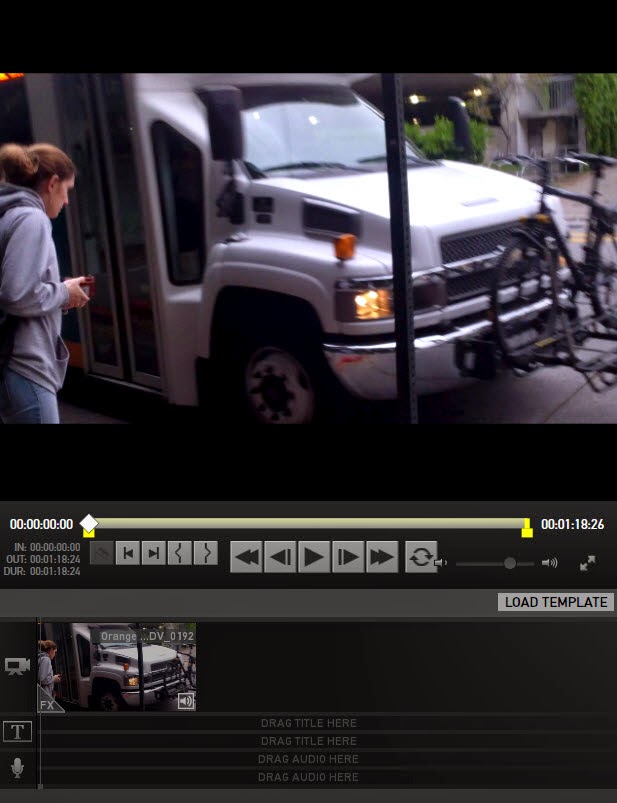
This program has templates you can use to quickly create a video. That is a drag and drop simplicity but for what I want to do there is no template to match so I am using the blank template to test the software features.
 
Step 1 - Import and Convert

If your non-GoPro camcorder records video in a high definition mp4 format you can import the video into the software.


It might (but not guaranteed) accept .avi video. In my brief testing, I can say that it couldn't import a few .mov videos that I have. I will have to dig up some old motion jpeg video but suspect it won't import that either.

With all the different flavors .mp4 there might be an issue in importing. You will either see a message or the video will not appear in the holding areas.

Import the videos you want to work on; you will have an opportunity to re-name the imported video. Take the opportunity! You can also select just the portion of the video you want to work on.

You can convert to a native GoPro .avi format or change to a .mov. (I know I said it wouldn't accept native .mov videos. but it will convert existing videos to a .mov format. IF you have QuickTime installed on your system)

Step 2 - Edit

On the surface it looks like a one trick pony.


You have one video track, two tittle tracks and two audio tracks.  It is what it is and don't forget it is free before you start turning you nose up at it. It is also simple for novice users to use without reading the manual.

Drag, drop set you in and out point. Done.
But wait, there is more.


I'm not going into detail with all of the controls but I want to focus on White Balance; if you record in the wrong light temperature say Tungsten instead of Daylight you can correct it with a jump to the left or right.

Many video editing software programs can do this but it is not always accessible. You gotta hunt for it. And this is what you see is what you get White Balance.


What got my heart pitter patter happy was the Framing controls. Let's say that you record a video and when you go to edit you notice that it is slightly crooked or tilted. You can fix that using rotation.

Or maybe you want to zoom in on a specific section of the video to mask the shakes. You can do that using the zoom tool. Want to adjust the horizontal and vertical?

You can.

Step 3 - Export

You have a number of options on exporting the video:


YouTube, Vimeo or export the video out to another program for finishing.  Or you can make your own custom setting.

Why I Can't Give My Heart to It

I'm was loving it until I realized that my audio was gone. As in it did not cross over after importing video into the software. I checked the website and there is page that describes what to do if you don't have audio.

I could not find the Sound icon in the lower left corner. I adjusted the audio levels. Nothing.

This is not necessarily a deal breaker for me. I still have the original video and I can extract the audio from that file and plunk it into another video editing program.

But it is a huge issue if you don't know how to do that. Again, it might be because I am not using a native GoPro video file, it could be I'm not seeing the icon or whatever.

Possible Uses

I can see this being helpful to Windows Movie Maker users who need to do a quick fix like white or color balance or fixing a slight tilt in the video. You could correct the problem in GoPro Studio and then bring the video into Windows Movie Maker for the final edit.

I know that I have video that I can't use that I might be able to resurrect. That would be such a good thing; except for the disappearing audio.

Summary

I need to go line by line with the manual. That requires time, of which I'm kind short off.

Still, there may be more goodies and an answer to the missing audio problem. If you really understand the limitations and the gifts this software provides then I think you will have a tool to help correct certain types of editing problems.

Other Posts of Interest


Monday, July 22, 2013

New Export Options for Windows Live Movie Maker

I haven't looked at Windows Live Movie Maker for a while. It had been so long since they had made any changes to the product that I assumed it was locked in amber. There is so much going on that you forget to touch base and review program updates.

In the immortal words of Benny Hill, who probably nicked them from somebody else:


It is now easier to share your content using this video editing program. You might not need a conversion program to crowbar the video into a tablet or other devices. 

There has been a significant changes to the export options. Let's take a look.


This is the new export menu. There is a word that never appeared in the prior version of the program. I never expected to see it in a Microsoft product. The word is "Apple."

For the longest time, Microsoft refused to acknowledge the Apple format or products. Would not import or export to that format. Until now. The almost universal acceptance of video in the .mp4 format has helped moved them from the .wmv format.  This is a huge step for them.

Common Settings


Under the heading of common settings are options to export under specific file formats.


If you hoover your mouse cursor on top of the option you can see the display size, aspect ratio, bit rate and estimated file size per minute. What you will not see is the file format. You have to select the item and you will be able to see the file format in a Save window.

  • HD Display .mp4/H.264
  • Save To Computer .mp4/H.264
  • Burn a DVD  .wmv
  • For e-mail .mp4/H.264

Phone and Tablet Devices

New to the export menu are tablet and smartphone export options that are not entirely Windows based. There is even a setting for exporting to feature phone video.


Before you turn up your nose in disdain please remember that there are millions of potential viewers using feature phones around the world. They cannot view data intensive videos. This is an excellent option for those folks.

In Windows Live Movie Maker you now can export video compatible with Apple and Android devices.


For those of you that want to view your creations on your tablet devices or use those devices as a video delivery system this is your spot. Transfer the video to your device and then you can hook it up to a television or projector. What is not to love about that?

Video Web Host Services

Yes there are other web video hosts besides YouTube. Plenty of them. And almost all of them want video submitted in a specific bandwidth, bit rate and audio format.


SkyDrive isn't a web host; it is Microsoft's cloud storage. My understanding of this particular use of the service is that you could upload a video to the cloud and then view the video on a tablet or have other folks access the video from the cloud location.

Finally, you can also make your own custom settings or just extract the audio from the video.

I will have to review Windows Live Movie Maker again for other changes they might have updated to the program.


Other Posts of Interest

Tuesday, June 18, 2013

Project Status Report #1 - Memory Project

If I have been somewhat distant from this blog it is because I took a self imposed pledge to make a mini series of videos/memories/poems...I don't have a good name for it yet.

I do love poetry. I like reading it, seeing it performed and I thought by now there would be a lot more poets taking advantage of web video. As many of you know, I've recorded some of the poets in the Los Angeles area. This is a good thing but I've wanted to get my two cents into the game.


So I came up with an idea. To have a short memory piece about an object or a change that I notice. Nothing grand, nothing wham bang. A time marker if you will.

Because of work and school schedule it has been a ball and chain to execute.  I literally have to put it together bit by bit. There have been flops, failure and brain freezes.

 So I think it is time to share where I am so far and see if that kicks me near the finish line

Stage One - Preparation


I wrote out outlines, scribbles, doodles 3x5 cards and watch cartoons. (I gotta lay off the Batman/Justice League stuff.) There are notes with ideas and thoughts about how to do this.

Stage Two - Writing


I wrote one page on what I wanted to do. That was the easy part. Writing down the bones was the killer. The idea has to be transformed from the mist to substance. No more B/S time.

I manage to B/S quiet a bit but I wrote the structure of the video mini series.

Stage Three - Design Template Ideas


This is why I was looking at cartoons, for color information, style and transition information. I also looked at junk mail for the colors used, had a spell of looking at 1930s movie trailers - there is good in those flicks. I looked at good and bad PowerPoint presentations.


Stage Four - Asset Collection


I have been taking photos and videos of the objects that I want. I have found a few at the Library of Congress, Internet Archive and other public domain sources. And yes, I have printed out my source pages so there is no question where I got my visuals.

I have recorded audio narration and located a music source.

I am currently stuck in Stage Five, Assembly

Follow the script right? Well yes. It does make it easier. But then you get ideas or the ones don't quite work.

Next time, working around the blocks.

Other Posts of Interest


  • Creating Tools for Logos for Your Video Id Bug
  • Pixlr for Creating Simple Channel Art
  • Home Page for Smartphone and Tablet Users
  • Monday, June 3, 2013

    Quick Glance at Magix Movie Edit Touch for Windows Tablets

    I discovered that there is a new video editing app for Windows 8 tablets from Magix.  I grumble a bit being on the Android side of the fence. It seems like it has been an eternity waiting for a functional Android video editing application. As the seconds become minutes and then become years.

    Since my cheapo Android tablet is about half expired I'm willing to pay attention. This is a commercial for the new app from Magix:


    You can trim and edit, add effects, create slideshows and save to a memory card.  This app runs on Windows 8 and RT and can be found in the Microsoft App store.

    I have no idea if the promise matches up to the reality. But there is a new slate called the Acer Iconia W3 8 inch Windows tablet that has been released for about $380-ish or so. 

    Temptations, surrounded by temptations.


    Other Posts of Interest

    Tuesday, May 28, 2013

    Quick Demo - Picture in Picture Using Serif Movie Plus X6

    Well, slow connection or not the show must go on. You might not use Serif Movie Plus X6 to edit videos. That is okay but the concept of the picture in picture technique is similar across many of the consumer level video editing programs.

    What got me going about this is that I have an idea for a short video project about memories that are gone or almost about to evaporate into history.

    I can see the need to do a lot of video in picture frames.


    I generally forget how to do it picture in picture. I do read the manual but it never sticks in my head. Making a screencast video on the process certain helps retention.

    A Couple of Reminders:


    You need a .png file with a transparent area. You can use a program like Irfanview, Snagit Editor or one of the online photo editing programs to create your .png photo.

    Aspect ratio – if your video is 16:9 widescreen and your image frame is in the 4:3 aspect ratio you are going to have issues. Match your frame to your content or your content to your frame but do not stretch a video to fit inside of a transparency area, especially if you have people in it.


    Other Posts of Interest

    Monday, May 6, 2013

    Cheap, Easy or The Best Video Editor

    If I read it once I've read it a thousand times. People, generally young people but that would be an ageist statement, are on the look out for a free, top quality video editing program.

    I get peevy at this; no mention of what they are using, what software platform they are on or their experience level.

    The cyber cup clangers don't tell you what type of recording devices they have or how they plan to display their works.

    Catching my drift? True, I'm a little cranky but I'm tired of that critical thinking thing not kicking in to play.

    That was harsh.  I don't mean to be. So let me try to embed some critical thinking concepts as I work my way though this challenge.

    Cheap and Device Independent


    If you are a YouTube member you do have access to the Editing function. You can upload a video in Private mode and then edit your video, add transitions or add a sound track. 


    Once finished you can post the video to your channel.

    The downside:

    • Video can take a long time to upload; if you are doing this on a mobile device you might tap out your data allowance.
    • Using the YouTube Editor audio content or other assets might result in a commercial being shown before your video. And no, you do not get to profit from it.

    Easy and Operating System Dependent


    If you are on Windows operating system you have Windows Movie Maker. If you are on the Macintosh operating system you have iMovie. Both are designed for novice users. If you can type in a word processing program you can use this software.

    The downside:

    • Windows users - depending on what version of your operating system you might have it installed. If you are using Windows 7 or later you have to download it from Microsoft's web site.
    • Mac users - I believe you folks have to purchase the iLife version of iMovie but at $15 why kick about it?

    The Best


    The best video editing software is the one that you take the time to evaluate based upon the resources you have, your recording device and your skill level.

    I will not stop you from paying $800 for Adobe Premier. But it might not be the right choice for your situation. At $999 Avid Media Composer might send a shiver up you spine but if you are just crafting basic web videos I think it would be overkill.

    Before you download anythings you have to do a personal assement of:

    • What are you using to record video and what is the file format
    • What it is that you want to do with your video?
    • Where will the video be viewed?
    • Do you like to tinker? Or do you want it wham, bam thank you mam?
    • How much time do you have to work on a video?
    • How much or how little money do you have?
    • The condition of your tablet/computer system; can it handle video editing?
    • What products are available to me that will help me get the job done?

    These are the questions you should ask yourself long before you ask about the best free video editing software.

    Other Posts of Interest:


    Tuesday, March 12, 2013

    Lightworks for Linux Demo Video

    Those who are on the Linux operating system have been waiting for a full feature video editor for a long, long time. It looks like the wait is just about over.


    This is a demonstration video for Lightworks for Linux. It isn't in Beta just yet but if you heart is in Gnome or you crave the taste of Mint OS then your suffering is about to end.

    Or ramp up to a new level. Because this is a professional level software. We are talking bins, assets and rooms. It isn't impossible to learn but you will spend time doing so.

    Once they figure out the Linux version the next port will be for the Mac operating system.

    Other Posts of Interest:

    Tuesday, March 5, 2013

    Researching Free Video Editors 2013 - Part 3 Viable Software

    This is what made my admittedly short list of viable video editors that are free for desktop or online access. The program should be able to perform basic edits, effects, the ability to add music and export video.

    Free software is one that works. You download it. You do stuff. That is it. You might have to register using a e-mail address. Nothing more should be required.

    You should not have to purchase a software key or codec license. Seems obvious, but there vendors who perform bait and switch activities for profit. This would be one of the ways folks get suckered into a package.

    Free does not mean you get everything you want. There could be a reduction of features. It could be prior version of a current commercial product. You could be limited on export options. Free doesn't necessarily mean easy.

    Subtracting Windows Live Movie Maker and iMovie from the list and you have the following options.

    Desktop Options


    Blender  is a free 2D/3D modeling program. However, inside of Blender is a video editing module. You definitely want to view the tutorials at Blender VSE for assistance before you dive in. Blender ain’t easy and you will spend time trying to learn it but it is free.

    EditShare Lightworks Free is not really a consumer level software, this program has powerful professional level tools but there is a free version with some limitations on export. There is a learning curve but once you get a handle on it you have access to an industry standard program.
    There are limitations on export but you can export HD and SD video to the MOV format. There is a Windows and the Linux version is currently in Beta testing mode.

    OpenShot Video Editor for Linux users is a functional alternative to the other Linux packages in the wild.

    Serif MoviePlus Starter Edition is a basic version of their main software currently MoviePlus X6. If you are looking for an easier transition from Windows Live Movie Maker this could be the one. Limitations are that it cannot accept MP4 or AVCHD video. This could be a big limitation if that is your camcorder or recording devices video format. Windows OS only.

    Online Web Applications


    YouTube Video Editor – Upload your video, set it to private and you have access to a basic video editor. Here is the rub, it generally takes longer to upload than to download. Be aware that if you use that ads can appear in your video if you use certain features from the editing program. Check out the Editor Help article for more info.

    VideoToolbox seems like the deal, you can edit, extract, convert and do a bunch of stuff. There are video tutorials but no FAQ page. I would say that if you are an intermediate computer users with good bandwidth this could be okay. I'd set up a free e-mail for this type of site, something about it has me on alert but I can't put my finger on it just yet.

    WeVideo is a very user friendly editing service. There is a free version that does impose limits on the video resolution and how often you can export a file. There is a easy to use editor that provides music and other goodies. I beg of you to read the terms of service; this wouldn’t be appropriate if you think you want to use your video for commercial use.

    Not Yet Ready for Prime Time


    VideoLan Movie Creator – I keep checking the site but it isn’t in Beta at this time.

    Novacut for Linux and possibly for Mac users is being constructed but no functional software at this time.

    So after filtering out the gunk, deadwood and vaporware this is what is left. Again, you are responsible for making sure your computer can handle the software, that you have the time to learn and be willing to be your own tech support.

    If I find safe and functional options I'll add them to the list. For now, this is a wrap.

    Other Posts of Interest

    Monday, March 4, 2013

    Researching Free Video Editing Software 2013 - Part 2 The Departed

    Part of the challenge of locating decent software is that there are a lot of old products and services that have crash and burned,changed focus or were purchased out of existence. Adding to the problem is that old reviews and blog pages are still active.

    Software isn't an evergreen type of product or service. If the page you landed on recommends any of these applications then you know you landed on a old or historical page.

    Another thing to be aware of is you might see a current link from what appears to be a software download place; be extremely careful about clicking that link. It can lead you to maleware or other ickies trying to introduce itself on your system.

    Adobe Premier Express

    Nope, this currently is not a direct to consumer application. This is a video editing application for businesses and corporations that want to allow their users to create content for a specific ad or campaign. Adobe does have a 30-day trial version of Premier Elements. There currently isn’t any place on the Adobe web site where you can perform free video editing.

    Avid Free DV

    Gone to the big digit in the sky. Avid discontinued this software in 2007. Any modern web site that claims to have it for download is one to stay away from unless you want to expose yourself to spyware, malware or other cyber cooties. Avid has sold their consumer video editing product lines to Corel.

    Pinnacle Spin

    The consumer line of Pinnacle was purchased by Avid who then sold it to Corel. The software still has the Pinnacle label but you will not find Pinnacle Spin on the web site. The prior link to VideoSpin will take you to the 30-day trial version of Pinnacle Studio.

    JayCut

    JayCut was an online video editing application that predates the tablet era. Research In Motion aka Blackberry purchased the site. That door is closed and not expected to be resurrected.

    JumpCut

    Another online editing service that was acquired by Yahoo in 2006. The service was discontinued in 2009.

    Zwei-Stein ZS4

    Wayyyy back in the day this was one of the few free editing programs. It was a geeker’s dream because it was so complicated to use. I mean no disrespect but it was never user friendly. The software hasn’t been updated since 2007. There is no support for modern codecs. The creators of the program are more focused on their music careers. I think one of their web sites has been hijacked. I’m not linking to it or going near it.

    These are the departed editing software packages that you should not expend time trying to track down. I'm sure I missed a few. If you see these in your search, move on down the line.

    Other Posts of Interests

    Sunday, March 3, 2013

    Researching Free Video Editors 2013 - Part 1

    The questions come from people that just want to do simple edits to others that need more power than what Windows Movie Maker and iMovie can provide but they don’t have the cash.

    Not a day goes by without someone asking the great void about desktop free video editing software.
    I have some ideas about how to go about it.

    So I'm doing a series of posts on free desktop and web app videos editing software.

    Limitations and Caveats:

    You need to be honest about your skill level, your computer’s capabilities and how much of an investment in time and money you are willing to make. There is a cost beyond money. Your time has a value. Do you have time to learn and possibly troubleshoot new software? If the software messes up your computer can restore it back to the original state? Do not install software until you have a good answer to those questions.
    My focus in the next couple of posts is on consumer level video editing software. There are applications that the old school computer techies love like Avidemux or VirtualDub that will do the job. If you are coming from Windows Movie Maker experience it might not be the easiest of transitions.
    I’ve been broke so I know that for many people it is not a reluctance to pay for software but the reality is that you don’t have the money. My preference is to pay for software; this supports the vendor and helps pay for innovation. But a free option is always appreciated.
    One more thing.

    I don’t like spyware, malware or bait and switch software. There are some vendors that claim that they have a free version only to find out that the software is crippled or you need to purchase a module for the software to function. These programs can be worse than what Windows Movie Maker or iMovie has to offer.

    I will not link to bottom feeders. I will also not link to affiliate software that often poisons questions and answer sites.

    Legitimate companies will allow you to try the software for 10, 15 or 30 days. It is okay to have the purchase button visible on start up but I don’t want to see it flashing in my face every time I perform a task.

    Shop at known vendor sites or marketplaces like Amazon.com or a strong national or regional chain store. If you prefer software downloads I would suggest going to the actual vendor’s website.

    Enter Investigation Mode


    One of the things you need to do is to go to the vendor’s website. Find out if there is help or support for your free software. There may be a web page. There might be video. There could be members helping members.

    Or there could be nothing.

    If the vendor doesn’t provide help and support is there an external support community? A sage or guru that has tutorials about the software? If there isn’t then you are on your own.

    Observe the look of the software. The vendor website there should be screenshots of the program.

    Yes, you will go to YouTube and watch tutorials on how the software performs. You want to see if it is as easy as it claims to be or can you catch a potential problem, such as only having a single video or audio track.

    That would be a deal breaker for me but perhaps not for you.

    What else? The usual, make sure you have a back up system in place. Have good maleware protection that you keep up to date. Don't steal commercial software. Stuff like that.

    In the next couple of posts I will get specific on what is and isn’t a good investment when it comes to supposedly free video editing applications.

    Other Posts of Interest

    Thursday, February 28, 2013

    A Glance at TouchEdit iPad App

    Mercy, they just keep a coming but this video editing application might be what you want if you lean toward the professional side of the fence. TouchEdit is a time-based video editing for iPad 2 or higher running iOS 6.


    Yes, time code editing using your fingers.

    If you don't know what time code is that might be a clue that this isn't for you. I'm not being intentionally snarky.  Time code is a series of numbers or time points that can be embedded in traditional film and video. It can also be done digitally.

    With time code you can precisely find and edit a certain section of a shot. Professional video editing requires the use of time code editing.

    This product is designed for people that want to get a jump on an editing project. This is the first version of the App.

    You should probably read the iTunes feature page, If you have experience with old school analog editing experience this might be what you have been looking for to jump in on iPad video editing.

    This software isn't really for tech phobes who want to be guide through the editing process. At $50 for an app you want to be sure before you give this a go. This is version 1.0 so keep that in mind. If it works at base level it will only get better. If not, you are out $50 bucks. (03/07/2013 update, the price in the App Store is now $24.99, subject to change at a moment's notice.)

    But for those of us that want some power and more control for iPad video editing this looks mighty tasty.


    Other Posts of Interest

    Tuesday, February 26, 2013

    WeVideo Android Video Editing App in Beta

    Dear Androidians. we have been suffering the slings of jealousy watching iPhone users having all the cool toys. It has been hard to constantly look over the fence to see yet another app that none of us can use.

    Our time has come, maybe.

    Here is the promotional video:


    WeVideo currently has in Beta a free video editing app. It is only for a certain group of devices for now; according to their website that would be:

    Google Nexus
    Google Nexus 4
    Samsung Galaxy S III
    Samsung Galaxy Note
    Samsung Galaxy Note II

    From the description, it seems like it is a trimmer with added features. I'd also be a little concerned about the Terms of Service and what do they do with your information.

    Free isn't always free. What does it cost you to use this application?

    I can't try it because I don't have any of the above devices. Please remember it is in Beta, as in not quite finished or perfect.

    You roll the dice and take your chances.

    Other Posts of Interest

    Sunday, February 24, 2013

    When You Just Need a Video Trimmed

    A touch up, a snip, snip or a cut and dash. You don't want titles, you don't want to add music you just need to cut the bad part out so that the good part can stand on its own.

    There are video trimmers and editors that act like trimmers. Some programs have features than expected but they do not fall into non-linear editing software type programs.

    I've mentioned some of these before but I haven't put them in a list format.

    Be very careful about where you download software; I'll link to the actual vendor web site. Major Geeks is a known safe place. There are not a lot of safe repositories anymore so don't click just any old link in a search engine.

    You have to be the first line of defense. Don't gum up your system with malware.

    Avidemux Free


    Avidemus Screen Shot

    Avidemux has versions for Linux, Mac and Windows OS. It accepts AVI, traditional QuickTime MOV, MP4 (but not necessarily all variation of MP4) 3GP, MPEG and H.263+ but not necessarily H.264. You might need to install codecs on your system.

    You do have the option to add filters to expand the program's capabilities. This software isn't hard to use but it is geared more for the techies. There is a wiki and a forum support community.


    MPEG Stremclip Export Screen


    MPEG Streamclip for Mac and Windows OS. Free

    This has an easier learning curve than Avidemux. It works with a wide range of video formats except AVCHD or .wmv type videos You set your in and out points, choose your frame size and you can have a clean trim in no time.

    You will have to have QuickTime Player installed on your system but that is a free download as well from Apple.

    And now for something a little different. This is a 2010 tutorial video on Virtual Dub by World Traveler Man. This will give you some context about my statements below about this software.


    VirtualDub Free Windows 98, ME, NT4, 2000, XP, Vista, Server, or newer OS

    Read carefully, this is a linear editing program. It can trim video. It can do a lot of wonderful things. But the one thing it will not do is hold your hand. Not to say that there isn't documentation for the program.

    There is. I'm saying that if you are coming from a Windows Movie Maker/iMovie entry level experience you will have issues learning this software.You might have to install a codec package. You might need to understand video concepts before you can use it.

    Like Avidemux, you can add filters and gizmos to it. This program was created before the commercial release of consumer non-linear editors.

    If you are tech inclined and have an old operating system like Windows XP this could just what you need. Do not expect that it will be able to handle AVC or AVCHD or even MP4 type videos without a filter or program update.

    Who is it for? If you have standard definition video this could work. If you want to have more control of what you can do with video but you don't want a system resource hog this could be your software.

    So these are the reliable, stable no monkey business type trimmers and editors that you can use; provided you understand the limitations and benifits of each program.


    Other Posts of Interest