There are new apps on the block. And then there are the old reliable bit of kit. Sometimes remembered. Other times, an old favorite is shoved up in the corner.
Just waiting for the right person to accept him/her/they and enjoy simplicity.
Pablo by Buffer has been around the bend. Probably was created when the bend was being formed. I don't know. I do know it is a simple, quick way to create social media graphics with text.
And that it is a free web app.
Getting Started
When you first land on the page an ad for another Buffer app called Buffer Remix will appear. Has a lot of nifty features for Android and Apple devices.
If you are not interested checking out the app, click the Dismiss link (down at the bottom in white text) or click any place away from the image and on the screen.
You can format images for:
Pinterest
Square format, good for audiogram covers, Facebook ads or other sites that prefer the square format
Twitter or YouTube
But wait, there is more.
If you want to add a logo image inside of the photo you can do that too. Can add text, change the font and move it where you want.
There are templates and 600k of free images to help you get a jump on your message or social media comment.
And that is about it. No importing audio or video. No whiteboard animation. Just a simple graphics editor to help you create text and photo social media content.
Or you could use your imagination and come up with new ways to use the images.
Lorem ipsum dolor sit amet, consectetur adipiscing elit. Praesent finibus nibh leo, vel posuere felis venenatis eget. Cras lacinia orci in arcu condimentum tincidunt. Mauris ultrices maximus feugiat. Aliquam venenatis feugiat erat egestas pretium. Integer pellentesque tincidunt convallis. Ut aliquet massa id luctus molestie. Duis et magna id ligula accumsan rutrum vitae a elit. Mauris vestibulum tortor in tempor pulvinar. Mauris id justo et mauris suscipit ultrices.
Nullam elementum ligula a dui pharetra tempus. Curabitur ut massa pretium, bibendum lacus quis, gravida orci. Donec lacinia sodales enim in imperdiet. Quisque luctus est ex, in porta mauris dictum sit amet. Mauris pharetra est nec enim porttitor, quis molestie arcu porta. Vestibulum vulputate purus sit amet libero pharetra, vitae eleifend sem imperdiet. Morbi tempus lectus vel bibendum gravida.
Cras sagittis finibus nulla, sodales malesuada quam sagittis id. Curabitur eros ex, aliquet quis orci in, rutrum consequat mauris. Sed porttitor sem a facilisis vehicula. Curabitur dignissim, eros quis congue tincidunt, nulla ipsum euismod leo, id sollicitudin purus mauris sed nisl. Etiam dictum, augue vel cursus ornare, dui ligula hendrerit purus, vitae sollicitudin orci velit ut purus. Curabitur fermentum felis non auctor aliquam. Nam id ipsum eget lacus sollicitudin commodo. Proin id purus libero. Proin ut magna finibus lacus imperdiet dictum at quis neque. Phasellus egestas ex quis accumsan rutrum. Nam et pharetra lorem. Cras rhoncus turpis malesuada pellentesque pulvinar. In hac habitasse platea dictumst. Cras congue placerat turpis et aliquam. Donec eu nisi ante. Nunc sit amet velit at ex facilisis imperdiet.
Nunc id nulla ante. Nullam tempus, felis ut rutrum blandit, tellus lorem pretium lorem, sit amet finibus dolor quam in mauris. Proin non elit interdum, pretium urna vitae, posuere purus. Aenean sit amet cursus nisi. In hac habitasse platea dictumst. Maecenas consectetur libero non sapien bibendum ultricies. Sed aliquet orci nisi, et porttitor tellus tincidunt in. Mauris ut sem vel eros consectetur lacinia.
Maecenas id egestas velit, ut ullamcorper ipsum. Vivamus sed tempor mi. Pellentesque euismod ut massa eu finibus. Pellentesque aliquet sem in dui mollis, sed sollicitudin dui consequat. Nunc pellentesque sem vel viverra sagittis. Nullam lacinia, risus eu semper placerat, augue nunc tempus est, nec feugiat justo sem venenatis orci. Ut bibendum cursus feugiat. Donec gravida in orci at fringilla.
There are people that want a basic video editing software and don't want to use their phone or tablet.
Or can't.
This includes a lot of Windows and Android users who haven't found what they need in terms of an app or software..
Animotica is an affordable video editing software that has a easy user experience, social media export options and being able to see a full size rendition. Animotica comes in three versions, Free, Lite and Pro.
In this post, I want to take a look at the Quick Tools section. There are some goodies.
What You Will Need
Familiar with navigating to folders on your computer. Drag and Drop or knowing how to find a file or folder on your computer.
Understanding that this is a basic video editor that does a lot of things. Some you want, some you don't.
If you do have audio or video on your mobile device, knowing how to transfer it to your desktop.
Devices
Windows 10 only.
Might work on a large size Windows tablets.
Disclosure
I purchased the full version of the software last year. Some of the items displayed on my screenshots may or many not be available to Animotica Free or Lite users.
Also, I have a heck of a lot of software. I have a problem. I know it.
Quick Tools
This is the dashboard of the software. There is a lot of useful stuff, some of it accessible to free users.
Among the tasty treats are things that come up when you need them. Who among us hasn't had the need to extract a mp3 from a video:
Or need to only add background music:
And this is probably the time to mention the payment plan and functions.
Free Plan:
Access to the basic program features
Can freely switch between aspect ratios
Export in 720p
Limited transitions, stickers and effects
Videos are watermarked.
Lite Plan:
All of the features of the Free Plan plus
Access to all transitions
Export in 1080p
No watermark.
Pro Plan:
All of the features of the prior two plans:
Access to all transitions, overlays, animated gifs and effects
Export in 4K
Color adjustment, correction and effects
Animated text effects.
I usually mention payments options toward the end of a post. But I know how some of you think.
"Ah, I just want to trim my video. And it will do it for free? Score!"
You will be able to do that. But under the free version, your video will export as 720p with a watermark.
This is why reading is fundamental.
Now this is just the Quick Tools section, not the main video editing program.
If you are interested in that, check out the above video. Animotica straddle the fence about being an entry level video editing program with some decent features.
It isn't for the person that want or needs something like Hit Film or DaVinci Resolve. But if you need something that can get the job done at an affordable price, this might be something to examine for your needs.
Lot of things going on in the social media space. In March 2021, Unsplash was acquired by Getty Images. Big whoop you might say.
Well, it kinda is.
If you use Unsplash for making audiograms, IG stories or any kind of social media content. Can't begin to count the number of YouTubers using Unsplash photos inside of their videos.
Millions of people around the world contribute photos to Unsplash. Those photos have been used by social media services such as Canva, Relay That and dozen more.
Getty Images is a huge stock imaging company. Their holdings include historical photos, video and so much other content. It primarily deals with corporate and professional customers.
The current word is that Unsplash will remain a separate company. But I would expect that at some point, a few Getty images would be mixed in for purchase. Or there could be an opportunity for Unsplash contributors to access some income opportunities.
For those of us in the social media space it could have an effect on how long social media providers will continue to offer Unsplash images.
Or will the also be required to include items from Getty Images?
I don't know.
But if you have a project you kinda, sorta want to do - you might want to get a move on it.
There are so many software as services regarding creating audio and video content. This is just a brief look at some of the tools I've found along the way.
Some will be helpful to a variety of creators or one of the tools might scratch a specific itch. But you know it is good if it hits that exact spot. I know if I don't write them down I'm going to loose or forget them.
Analytics
Chartable helps you to understand your audience by finding out where you place on various podcasting portals, including Apple and Spotify. There is a free option with once a day stats.
Image Cropping
You have the perfect photo for your album cover but you need to get it into a specific aspect ratio. Croppola can help you to crop to the square 1:1 format or a few of the others needed for social media. You can use the Auto function or figure it out for yourself.
It is free at the moment, but understand that images are only stored for about an hour or so. If you like what you have, download it immediately.
Recording via Browser
There are times when you find yourself needing to make a recording. I think I was at a conference and forgot that I left a recording on my desktop computer.
All I had was my Chromebook, a portable microphone and no editing gear.
I could have used something like Resonate Recorder. You record using the Chrome browser and can download audio in the .wav format.
There is a free version that allows for solo recording. The paid plan has feature like automatic backup, more folks to record and other features.
Transcription
Podseo.io is an transcription service for podcasts and for those folks that have to provide alternative text content.
You can upload your audio or video to the service and it will provide a transcription of your content.
There are all kinds of music generators. Some require a tiny bit of music knowledge from the users and others allow you to take an existing work and customize it to a unique royalty-free tune.
Ecrett Music is a service that allows you to customize music using AI and then use it in your content.
This is a demo created by the company:
Basically, you select the the features you want in your music, such as setting, mood and type of music. Hit the create button and you have a tune for your video or podcast.
If you like it, you can do more tweaking with the length and other enhancements.
Who is this Service For?
Podcasters who want to create but don't have music skills. They know what they like and don't like. Just can't create it.
Gamers who need background music or game programmers that want to test things out.
Video creators that need a variety of tunes on a regular basis and are not wealthy.
Some Concerns
A little digging kind of answered some of my concerns.
You do not own the music. You are given a license to use the music generated by the service. The music is owned by the parent company Soundraw.
As a free user, you can't use the music for any reason or purpose other than evaluate the service.
If you decide to cancel the service, you still retain usage of music you downloaded to your device. But you will no longer have access to music you did not download before cancellation.
Ecrett Music is one of the most affordable plans I've seen for AI Royalty Free music. There is a free plan to test out the service however, you can't do anything with it.
Zippo. Nada. Nothing but evaluate the service. And if you do the words "liable" appear some place on the website.
If you sign up for the annual subscription rate it is $5 a month. $60 a year for an individual creator.
If you are a business creator rate $20 a month and $240 a year. For full, unrestricted access.
So it is a winner?
Not prepared to go that far. On the surface it seems okay. It is all I can do not to whip out the card.
Ecrett Music provides a template that locks you into viable options to create music. This isn't a bad thing, especially if you have no music training. And you can quickly have what you want within a couple of clicks. That is remarkable.
Most of the current AI services use humans to create the foundation for the AI composed music. The AI makes alterations to create unique tunes. But there is no Bippity Bop. No swangg. There is something I can hear when I listen to AI music. Or what I don't hear.
Background music shouldn't have that much oomf, if any. I understand that. But I can here the void. Not hating on this company or any AI music company. It is a subjective feeling of the tunes musically needs some salt or a touch of cayenne.
You might feel differently about it.
You are not going to score a major motion picture with this service. But for users who are on a budget or want to experiment with crafting tunes for social media, this could be a keeper.
There is a free plan. You can use it for non-commercial purposes only and with attribution. There can be no ad generation or activities concerning the use of music on the free plan. You don't own the music, you purchase a license to use the music.
The Standard Plan states:
You can use the tracks for monetized content only on YouTube, Twitch, Tik Tok and Instagram.
You still don't own the music created by the service but you don't have to give attribution.
If you have your creation only on these social media platforms you are ok. Place the music in an audio podcast or directly post on Facebook, Twitter or another service, there might be a problem.
The Pro Plan states:
You own the track if you are an individual, a small business with under three employees AND under $300,000 in annual income. You can do what you want with it.
I haven't mentioned pricing because that can change and you may or may not fit the profile they require.
Summary
This is one royalty-free music service that each person has to evaluate if it can work with their needs.
For YouTubers, Tick-Toks and Gramers this might be an affordable solution.
For audio podcasters, you'd have to select the Pro Plan. If you host on Vimeo or were giving a presentation on Zoom, you'd have to think about it. It would depend on the plan you purchased.
Pond5 is one of the older internet royalty free music service and stock media companies. You might not know that with all of the ads from the upstart competitors.
Creators have a lot of choices in the on-line marketplace. Choices doesn't necessarily mean that the service is a good fit for what you want and need.
I snagged a lifetime deal subscription to another music service that has a lot of music. 80% does not fit my tastes or creative needs. Other services are very expensive or free and everybody uses them.
In full disclosure, I was a prior customer of Pond5, liked the service but drifted away to other new and shinny toys. In a podcasting group, I saw a notice about free access to music, video and graphics.
So I'm checking out the site to get info on the deal.
Pond5 has the Monday free video of the week. And they have a section of their website for what they called Public Domain Project.
This is different. There is section of the website that has a collection available for free use and attribution.
The Licensing Agreement is not the easiest of documents to read. A law school background would help. I am not a law student so this is my understanding of the service:
You can use it for commercial use, preferably with attribution.
You can use it on your website/blog and for social media distribution (Instagram, FB, YouTube, SnapChat) but not for broadcast or fee for service streaming services (Disney, Hulu, or any of the Plus services)
Don't do anything, immoral, illegal or ethically questionable with their stuff.
If something goes wrong you agree that the service will be held harmless.
Pond5 has a lot of content, be careful and aware of what you are downloading. Make sure you are on the Free Stock Music page.
You do get to listen to the music before downloading it. It will have the embedded Pond5 notice until you go through the process of placing it in the cart and downloading it.
Before checking out - make sure you go to the See Item Detail page. This confirms to you that you have selected the free track, that it is designated for commercial use with attribution.
Add it to the cart, then continue the process to download a clear copy. So long as you do the attribution thing, you are good to go.
Pond5 Public Domain Project
Pond5 has an archive of works produced by the U.S. government. These are assets created for the benefit of U.S. citizens. They are 100% in the public domain. There are also expired copyright videos, images and sound recordings.
I would say tread carefully and double check before use. You'll have the least problems with the video and images. The music - well, yes, no and maybe.
There is a lot of classical music. There is usually a code or maker in the recording to tell the music sniffing bots that this is ok to use. But some music sniffing bots do patter matching. So as soon as it pattern matches Beethoven's Fifth "Dah, dah da dah..."
You may or may not get hit with a copyright flag or get demonetized. You want to have attribution and be prepared.
There are folks songs, these are interesting. Some of them have very short interviews with the performers. It seems like it was an audio ethnography project. Could have been from Alan Lomax.
There are railroad laying songs, songs from prisoners. songs in other languages or faith based songs. I'm losing an afternoon just listening to this living history.
The sound quality can be poor or clear. Depends on the quality of the original recording.
There is a song I really liked "Makes a Long Time Man Feel Bad" I'm linking to the Library of Congress version so you can hear it.
Many years later, in 1962, Harry Belafonte recorded his version of the song. Much more stylized than the prison version. The Belafonte version is not in any way in the public domain.
Will the music sniffing bots know the difference?
Summary
It is an option to use some of the public domain music recordings. But it is your responsibility to make sure there isn't going to be a problem or issue using the song in question.
For educational and classroom use, yes a thousand times yes (with context about the subject matter and the historical world of the song.)
For historical podcasts and video essays, yes.
To sell a bar of soap using "Sick Em Dogs On Me" as the soundtrack? I don't think so.
You should know saying that "I downloaded it from Pond5" isn't going to be a sufficient defense. There could be another recording of the song you don't know about.
That person or company can put a copyright claim on your use. Even if it is truly in the public domain.
You have the right to use it but you want to be able to promptly prove your right to the recording.
There is a lot of good stuff on Pond5. I can recommend both the paid service and the free, attribution version.
For the audio public domain version, spend some time listening and really evaluate if you can properly and respectfully use the content.
Mixkit It is a freemium royalty free service that is connected to their parent company Envato Elements. On this section the website you download and use assets like music, sound effects, video and more.
As usual in the freemium space, there are usage terms and conditions. And there are different license rules depending on what you download. Pay attention before use can save you some grief. I'm focusing on the music and stock video but they have other free assets that might be of interest to the social media creators of the world.
For music, you can use the assets in podcasts and YouTube videos. However, they don't want you to do anything "naughty" or hate based with their stuff. That is a standard requests from most of the music and video services.
How that gets defined is up to them. Doing a historical review of women's underclothing is one thing. Doing a historical review of stripper panties with the stripper in them is another. They may or may not want their music associated with that particular audio or video essay.
It's all subjective. And in this case, geographic.
The company is located in Australia. For (some thick headed) Americans (yeah, I said it.) that means if there is a problem or issue you would be dealing with the Australian legal system.
Music
There are 24 songs per category. One of the things I like is that there is a direct download. No signing in or registering.
The download format for music is mp3. You will get a pop-up notice about buying unlimited via Envato Essentials. I'm not bothered by that; I'm not going to download every piece of music that they have.
Most of the tunes are under three minutes and would be best suited for intros and bumpers.
Video
The video clips are available for both personal and commercial re-use per the license statement.
However when I clicked on the spinning hamburger there was the 4K paid version and a 720p version that states it is for personal only use.
I did find a fish video with the fixing for ceviche. That one was unrestricted with a 1080p downloadable version.
Which leads me to the bug-a-boo. There is a section that does have free video downloads. And there is a restricted video license for other videos.
I'm real sure I clicked the free one. I landed on a restricted burger video.
Check and double check the asset you select.
Another concern is YouTube. The bots are running hot and heavy over the service. If you have a problem or get a strike you've got an issue.
Mixkit does provide their email address. They will do what they can. But you didn't pay them. They don't have to help you clear the strike. And the more folks use their free version of the service the greater the potential for a strike.
Summary
The service does provide free assets. I think to be fair about it you should probably give them attribution when it comes to using their music. It might help to acknowledge that is where you got the music or video from the site.
It would also be a good idea to make a copy of the license page with the date that you printed or made a PDF of it. Because terms can change and you want to prove you were operating in good faith at the time of the download.
The video side is a bit tricky. You have to be aware of what you are clicking on to be on the safe side.
I think every other week someone asks a question about using commercial or pop music in a podcast of video. There are folk that declare that they have never been caught and don't worry about it.
There are many more people that are educated and have good sense that talk about not to do this. Not for eight seconds. Not for three. Flat out don't do it.
Me, myself I tend to attach a source to convince those of the cement dome why they should not do use commercial or pop music. I lean toward the academic so I have no problem plunking people toward the Stanford Library Copywrite Principles Primer.
I like the stuff at web host Blubrry that explains why not to do it.
Or I could point folks to a Nolo.com post about the topic. The answer is from a legal point of view but, nope, don't do it.
Which leads folks into either commissioning someone to their music or making use of the various Royalty Free Music websites.
This is going to get confusing very quickly. Hang in there.
Royalty Free music services have a collection of music or sound effects for sale. That music can be used multiple times (per the condition of the license) after purchase. Meaning you don't have to pay each and every time a music track is used in a podcast or video.
Generally there is a fee associated with Royalty Free Music. But not always money.
For example, Purple Planet Music does provide music for attribution. Meaning you can use their songs provided you make sure that their name and/or website is visible in the finished product.
The payment is by attribution. If you don't want or can't do that they do have a fee for track purchase option.
This is a relatively new service that is offering free music for creators. And right on the screen it says no copyright claims.
I am a person of doubt. Before I download anything, I keep reading.
My first stop is the Help Center:
YouTubers, streamers, podcasters, vloggers, and social media maestros, that means you! If you're a solo creator or part of an organisation with up to 10 employees, you can use our music on any open-distribution platform, so long as your content isn't paid advertising
Ok, so far, so long as you are not using the music to create an advertisement it seems like you are go to go.
When you create an Uppbeat account, you agree to the music usage policy, which explains what you can and can't do with our music. When you download a track, instead of a complicated license, you simply receive a unique Uppbeat Credit that's linked to your account. For YouTubers, the Uppbeat Credit can be included in your video’s description to proactively clear copyright claims.
Hold on, there is a music usage policy. And if the video is being uploaded to YouTube you have to place a credit in the description to knock out the YouTube music chasing bots.
Understandable, but I have a feeling there is more. I found the more. The actual service is a company called Music Vine Limited dba Uppbeat.io.
I am not, nor have I ever been a lawyer. This is my understanding of what is being presented.
If you decide to use the service, you have to abide by the rules of the service.
They can stop, change or remove the use of the service at any time.
You can make limited alterations of a track, suck as using just a section of it, limited sound editing and minor enhancements.
You can't "sample" the track or make a derivative work.
Yadda, yadda more legalese until you get to section 9.5
9.5 If you are a consumer user, please note that we only provide the Platform and the Tracks for domestic and private use. You agree not to use the Platform and the Tracks for any commercial or business purposes, and we have no liability to you for any loss of profit, loss of business, business interruption, or loss of business opportunity.
There it is - the gotcha.
Because what constitutes domestic use? This company is located in the UK. I'm not.
And posting on YouTube or other social media sites is a very public and now days, internationally public activity. Are they saying that yes, if you lock down the video and only show it to friends and relations, that is ok?
But if I use it in a tutorial that may or may not be popular then does that becomes a violation if it does?
And if it does, will Music Vine come back to me and say "hey, you violated the terms of service, either take the video down or pay the commercial rate?"
I'm not feeling comfortable about this.
You will have to evaluate if this is a safe royalty free site to use. You might like their stuff.
Maybe just go ahead and pay the Uppbeat Premium monthly rate of $6.99 a month to get whitelisted on the 'Tube.
In my opinion, I don't think this "free" offer is free enough of potential trouble.
Update 2022 - Bitable is ending their free version of their service.
In May of 2022 they retired Bitable Lite.
Now they are ending the free version of their service. If you have any video on the site that you haven't downloaded you have until August 30, 2022. After that date you cannot download your content.
This service is constantly evolving and trying new directions. This time it is more business related social media generated content.
The text below is now historical and you might just go on over to the main site to check out what is going on with the current version. I have other services that I use and probably will not be a customer.
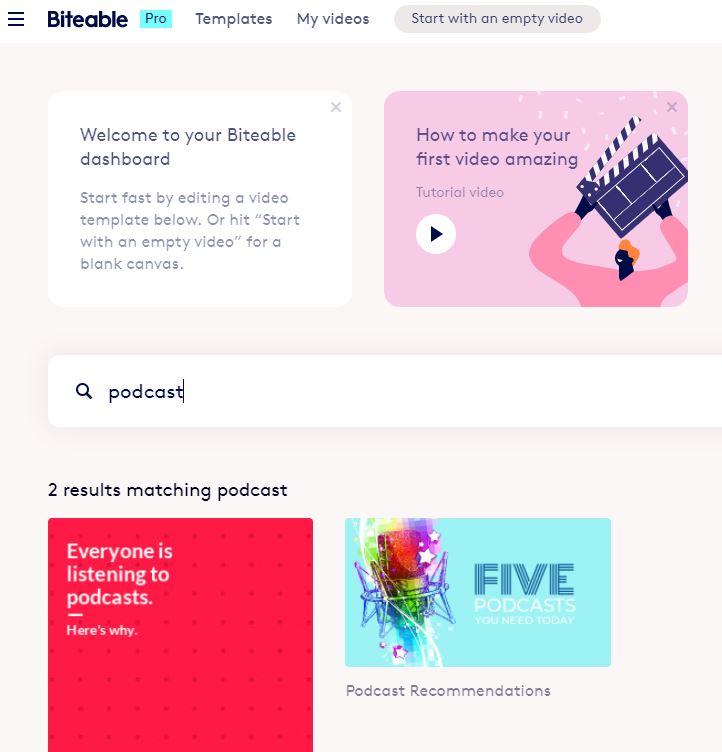
This is a look at the 2021 version of Biteable. It is an online video editor/presentation service with a number of templates that can be used for social media creation and can help you create podcast audiograms.
Way back in 2017, I had a subscription to the service. I wanted to make explainer videos. It wasn't as easy as I hoped.
I remember it was more finicky that I wanted to deal with at that time. I bailed out of renewing my subscription.
Honestly, I forgot about it.
Time marched on. I was looking at another audiogram service and the name popped up. So I come with a raised eyebrow but willing to give it a second chance.
Just a head's up...
Biteable free version can be used for non-commercial use. You may be restricted from using some of the assets available to you. You can download to 720p with two Bitable watermarks on the video.
Biteable Premium and above allows for full access to assets, no Bitable watermarks and export at 1080p video.
What You Will Need
Familiar with navigating to folders on your computer. Drag and Drop or knowing how to find a file or folder will help.
Being patient as you learn how to use the interface, especially on the pre-created templates.
Devices
Chromebook/Mac/Linux/Windows via a browser.
Assets
Podcast album art
Audio recording - mp3 or wav format
Getting Started
You can start with a blank template or use a template with a pre-designed format.
This is one of the rare occasions where I would suggest starting with a the video tutorial on the site. Then use the blank template to get a feel for the work area.
This is an introduction video from the company on how it works.
Advantages
Once you get the hang of it you can quickly create a podcast audiogram. You can create audiogram videos for the various Instagram, Facebook and YouTube formats
You also have access to animations, audio, and video assets.
You can upload your audio narration.
My 30-second test video mp4 video download was quick. Your experience could be different.
The free version contains two watermarks on the video and downloads as a 720p video. For a podcast audiogram, that should be enough. If you have video, it may or may not be an issue.
Disadvantages
No Captions/Subtitles
There is no native captioning/subtitles. For education creators that could be a concern.
You could manually add text on an image. Some of the image or video layouts may not be accommodating to displaying text on the screen.
Audio Narration Fade Out
You can select music to go with your podcast audiogram. You can also uploading your narration.
Which I did; had my album cover and my audio.
I discovered that the audio faded out before the narration was completed.
It took a bit to figure out that you can add a duplicate screen of the album cover.
This will allow more time. I added two additional duplicates. That solved one problem. But that created another problem.
Accessing Support
I needed to trim the silent time from the end of the video. When I went to look for the help pages or FAQ, I couldn't find it. There is a menu option for support.
I typed in the word "trim" because now I had too much image and not enough audio.
I was given suggestions on an un-related topic. I could have done a chat session. I chose not to do that.
I went back to their YouTube page and watched another demo video. I eventually got an answer.
Editing and Deleting Assets
If you work with a template you might find that you need to remove certain assets.
Removing the text blocks is very easy. But if you wanted to change a video or remove a scene you have to find three dots on the audio or video track. Left click on the track and they will appear. Click the dots and select delete scene.
To a new user who hasn't seen the training video, it isn't obvious. I think the idea is to for users to make a few text or image changes to the template and let it rip.
Summary
Bitable has a lot of pre-made templates to help creators get started. If you want to get a look at the templates, you can check out their YouTube channel.
Has it improved? Yes, absolutely.
For novice video creators, this could work as a simple podcast audiogram generator.
If you are a creator that has to churn out social media ads, podcast audiograms or other content this might work for you.
If you need power and control over every element then go hug on Adobe Premier or Vegas Pro.
There are dozen's of podcast audiogram services that have easy interfaces and one that are not easy but give you a lot of flexibility. The trick is to find the service for you, your budget and skillset.
The website would like you to register/sign in. However, you can actually give it a test run without a account if you land on a template information page. I appreciate sites that let's folks try before you subscribe.
Devices:
iPad/Mac/Linux/Windows via a browser.
Assets:
Podcast album art
Audio recording - mp3 or wav format
Getting Started
Looking at the Create section of the Veed.io website is like finding a needle in a haystack.
There are a lot of templates that do similar things. The template make it easy to get the task done but you have to figure out which one gets you closer to what you want.
At the time I was checking out the site, there was no podcast audiogram template. There is a Voice over Video template. There is also a music visualization template, if you want a sound wave image.
Both of those will get you in the neighborhood of a podcast audiogram. This is a tutorial video from the company.
Advantages
Once you land on the right template page, it is an easy process.
The free version has a watermark in the upper left corner and you are limited to under 10 minute podcast audiograms.
The videos will be rendered in 720p. If you are uploading an album cover and voice that might not make a difference to you.
In addition to the tutorial videos on their YouTube channel, you have instructions about the various styles and their other apps, services and social media tips.
Other than that, there is no other support for free users. Paid basic users get chat based tech support, 1080p videos and 20GB of storage.
Disadvantages
It was a little fiddly to get started. But once you get use to the interface, it was bing, bang, boom and you are done. I had to find the right how-to information page for audiograms.
Sometimes I'd click something on the main website and was bounced to the YouTube channel. Where there a a lot of videos. And yes, there is a filter at the top of the YouTube channel page so that you can search for a specific term.
I don't always remember to do that.
Once you land on the right template, don't assume that there isn't addition options on the screen. You might have to scroll down to see them. You necessarily have to accept the default items. For example, I found out by accident that there were more sound wave options.
Summary
If you are a hit it and quit person who wants to make videos, you will like Veed.io. All you have to do is add your assets, make a few tweaks and get an audiogram.
If you have to crank out podcast audiograms this makes it bone simple. I'm thinking about people that want to change the album cover every week but everything else remains the same.
I'm also thinking of those folks that do not like timelines. or traditional video editing programs.
I liked the easy way I could correct the transcription but in my test video it was very short. If I had to clean up more than a minute or so, that could be a concern.
I also liked the ability to make gifs from a video - I can see an education use for them and this is the easies way I've seen without having to subscribe to a gif service.
This is the full demonstration of how to create a simple audiogram using Adobe Spark Video.
I intentionally limited to creating a very simple podcast audiogram, however Spark Video allows you to add text, captions, music and other design elements.
The free version gives you access to everything you need but the video will be watermarked. If you keep it simple and uncomplicated you will do fine. Start loading it up with everything and the kitchen sink, and there will be issues.
I have to say I've tried using Adobe Spark Video for a number of years. I've had crashes. We've cussed each other out. I think we are now at a point of understanding.
Respect it for what it is.
It is an opportunity to simplify.
To be creative within the limitations.
To embrace that minimalistic view about Adobe Spark Video will give you peace of mind.
One issue I should have gone into more detail in the video. If you upload a clip from your podcast using the music upload feature you might have to chop the audio into clips. And there is a chance that Spark Video might believe that you uploaded music and start to repeat your audio at the end of the video.
Nothing a little tweaking in a video editing program can't take care of, but you should be aware of it.
The software/app provides an interesting way to create a simple podcast audiogram. It is a wee bit quirky but it does work. If you respect the limitations.
Adobe Spark Video is a grand lesson in managing expectations. This isn't Adobe Rush. It dang sure isn't Premier Elements or Premier Pro. It is a niche product that can do limited things very well.
What You Will Need:
An Adobe Account via:
an email log-in
an existing subscription to Adobe Creative Cloud
a social media account from either Google or Facebook
Devices:
Chrome via browser
Mac or Windows on-line via browser or desktop application
iPhone or iPad
There is no Spark Video Android app at this time, but you might be able to use the browser version. There is Spark Post for Android that can design and animate graphics.
Assets:
Podcast album art
Microphone (Optional)
Audio recording - mp3 format
Test of Voice Only Video
Test of Music Version
Advantages:
You can record directly into the app. You can also upload your own music or a mp3 voice audio clip.
Let's talk about that. You can do that and attach it to your slide. It needs to be short, like under 30 seconds.
The software thinks that you are uploading "music." You might find that the audio clip might repeat again at the end of the recording.
You can do customizations, add stock music, access some free stock photos and image icons.
The free version does almost everything you need to produce a simple podcast audiogram. You will have an Adobe Spark watermark on the video. To remove the watermark you can purchase a monthly or yearly subscription to have it removed.
Disadvantages:
Based on my prior experience with the software, I would say that there is a safety limit of about ten seconds of recording per slide. Yes, it does indicate that it can go to 30 seconds.
I would not trust it. I have had crash and burns when I tried to overload what it could handle.
You could duplicate the slide to gain more talking time. That would work.
You can upload video. If it is 30 seconds or shorter. Load fifteen minutes if you want to. You will only see or select about 30 seconds of the video.
Free version contains watermarks on image, a credits page and a non-removal page banner from Adobe. Ethically speaking, these items should remain on the video. For the non-ethically impaired, pay for the App or don't grip about it.
The short version is they own their stuff. You own your stuff. Don't steal other peoples stuff . If you do stuff that is illegal, hateful or violates the terms of service you are gonna get bounced. Know that your podcast audiogram might not be the kind of content that Adobe would want to associate with their brand or community.
Summary
With a bit of tweaking and elbow grease you could make something interesting. There are easier and slicker apps that can make an audiogram for you. If you can work around the limitation, there is gold in them there hills.
Update 2021 This is a very old post that leaped forward in time. I found the slide dead and was fixing things. This happened. I'm actually working on a project for podcasting audiograms. But from the early days some things stay the same.
David Lee King is a librarian and a videoblogger. This is a slide presentation on what web video is, what you need to get started and for those on the book beat how can it used to support the library's mission.
Folks are looking for various ways to promote their content. Or increase awareness.
One way to do that is by using a software program to create an audio single slide movie.
Commonly known as a podcast audiogram. Not to be confused with the hearing diagnostic evaluation also called audiogram. Other names for it are Soundbites, Audio Clips, Audio Visualizations and Trailers.
One more thing. There are music visualizations apps for musicians to upload music with a synchronized visualization. Some of those apps and software have overlapping similarities with podcasting audiogram creation apps. There is so much stuff out there.
The music visualizations are used by DJs and musicians to post their work to the public or draw them to websites. I could also see this working for poets as well.
Where was I? Oh yeah.
On the basic level, it is the joining of an audio sound file and a photo mashed together to make a video. Once you have the video, you can post it on social media sites.
Podcast audiograms can be used:
an introduction to a new podcast.
as a teaser clip of an episode.
as a full episode of a podcast, depending on length.
promotion tools and more.
Creating Podcast Audiograms
It is as easy or a hard as you want or need the process to be. Not being cryptic.
If you are a desktop user, you have everything you need. However it isn't necessarily easy.
For example, if you have a slide presentation program like Keynote or PowerPoint, you can make an audiogram. But you need experience with the software, understanding audio, image and video formats for your social media services and put the whole thing together. Not for newbies.
Or you have video editing software, create an image track, an audio track, import your assets and export to .mp4 video. You still have to make sure it conforms to various social media requirements.
Smartphone apps can make the process easier to make but you might lose some choices and options. If you want more options, you have to pay for them.
There are on-line services like Headliner, Invideo and Wavve that really make the process easy. And if your audio hosting service has an affiliation with one of the above services it is twice as easy.
How Much Is This Going to Cost?
Depends. Anywhere from free to $150 or more a year.
Freemium kind of deals - you get all the services however a logo could be watermarked into the video, you get a lower resolution or some other kind of limitation.
Many of the services offer a subscription plan with added features, social media formats and sometimes storage.
Hindenburg Lite is a recording app for iOS phone or iPad only. There is and will never be an Android version. The actual name of the full version of the app is Hindenburg Field Recorder. With the app, you can record, edit and export audio. It is a bit quirky but it is worth more than a surface look.
The lite version has all of the features of the paid version of Field Recorder except that there is a 60 second recording limit. Most folks would balk at that limit, even for free.
For time challenged folks that need hit it and quit recording, this could be something to consider.
If you can deal with the limitations and are willing to work with it; Hindenburg Lite could be an app that gives you value in the long run.
Audiograms/Social Media
Recording audio for audiograms or your social media account.
Bonus Content
Recording mini episodes on the go.
Give a quick opinion on a breaking story related to your show.
Using it to build content for your longer podcast.
Recycling Old Tech
Reuse of an old iPhone/iPad as a mini recording tool. If you have access to Wi-Fi you are good to go if the device OS is still functional.
Advantages:
It is free.
Able to record audio in 44.1 kHz or 48kHz with choice of .WAV, .AAC or ALAC
Has built in audio compression.
The app features are unrestricted except for the 60 second time limit.
Disadvantages:
60 second recording limit.
Can only increase the Gain while recording.
PC users will find it fussy about exporting audio to another location.
If you want to do more to your audio, you will have to export it to an audio editing program.
The Fiddley Parts
Editing: I have average size hands. On an iPhone 6s, I could not select the editing handles. Might be easier on an iPad.
Exporting and You Have a Mac: Not going to be an issue for you. You have AirDrop or you can use the Apple Cloud or other cloud services. Or connect directly to your Apple computer.
Exporting and You Have a PC:
If the audio is small enough you might be able to email it to yourself. There may or may not be a size restriction from your email service about large files. .WAV files by their nature are large files.
However if you have a cloud storage account like Google Drive, OneDrive or Dropbox that might be the easiest path to get the recording off of the device.
Is it for you?
Depends. It is a free app. If you can roll with the 60 second time limit and how to work with audio then I think it is a score.
The paid version of the app is $29.99 and for that you get unlimited recording time. There is no other difference in the app that I can see.
For casual or frugal folks, I think there are more appropriate user friendly apps for you.
Mac Users aren't going to have problems working with .AAC and .ALAC files. Slide them into GarageBand or your audio editing programs and get on with the day.
PC Users are going to need to export audio as WAV files. Or hunt down converter software. For PC Audacity users, you are going to need to install a plug-in for .AAC audio files.
If you lean nerdy or like to figure stuff out - it could work for you.
If not, it might be more trouble than it is worth.
There are other recording apps that are a tad easier to work with. But the sound quality and variety of export options are not to be ignored.
The current owners of Yahoo have closed the Yahoo groups and deleted the content of pioneers from multiple disciplines. It has happen before and it will happen again.
Long before Vimeo, long before YouTube there were people figuring out how to post video on the early days of the internet.
Some were artists.
Some were tech heads.
A lot of folks had porn as their motivation; meaning there were dozens of postage stamp clips of pre-existing content that found their way into content communities. So I have been told.
Hi folks. Most of you know I'm audio podcasting now with a video once in a blue moon. I'm checking out LinkedIn SlideShare feature and it is a mixed bag. There is some spam and dirt among the cool marbles.
This is some of the good stuff. Tread carefully around SlideShare, there is a lot of spam and dubious activities by less than ethical people. Not LinkedIn but some of the people trying to game the system using SlideShare.
So this is a check-in to see if I can embed this Edison Research informational slide to the blog.
Update 2021 - This company has totally revised their product - much easier to use now. I have an updated review of the current version of Bitetable. The text below remains for historical purposes.
Not really back in the game but I am testing out animation services for Explainer videos. This is a service called Bitable.com; there are free and paid options for easy animation style videos.